Remainder
The Remainder functionality is used in situations where an operator cannot complete an order or a specific packaging unit (e.g. box or pallet) to the defined target quantity.
This feature provides a traceable mechanism to ensure that:
-
Order and packaging unit quantities are accurately recorded
-
Label information is correct and consistent
-
Operations can seamlessly resume once additional materials become available
The remainder function is not available in the following scenarios:
-
Parallel packing processes are not supported.
-
The remainder function is not supported at the central packing station. When operating in decouple mode at the central workstation, the remainder button is not displayed.
-
Packaging unit transfers initiated via ERP Connectivity, such as warehouse tasks, are not supported.
Create a remainder
Prerequisites
-
The application is configured.
-
The label print template is configured.
-
An active packing process is in progress.
-
The current packing unit is incomplete.
-
Role as
Packaging Operator.
Procedure
-
Click on Remainder.
A confirmation prompt is shown.
-
Click on Confirm.
-
The system automatically prints remainder labels depending on the packaging level.
-
The current packaging unit is marked as Remainder and can be viewed on the Packaging Unit Main Page.
-
The user is redirected to the Dashboard.
-
The create remainder process is completed successfully.
Continue remainder
Prerequisites
-
Role as
Packaging Operator. -
Additional product quantity is available.
-
The corresponding order is active again and displayed on the dedicated workstation interface.
Procedure
-
Click on Continue.
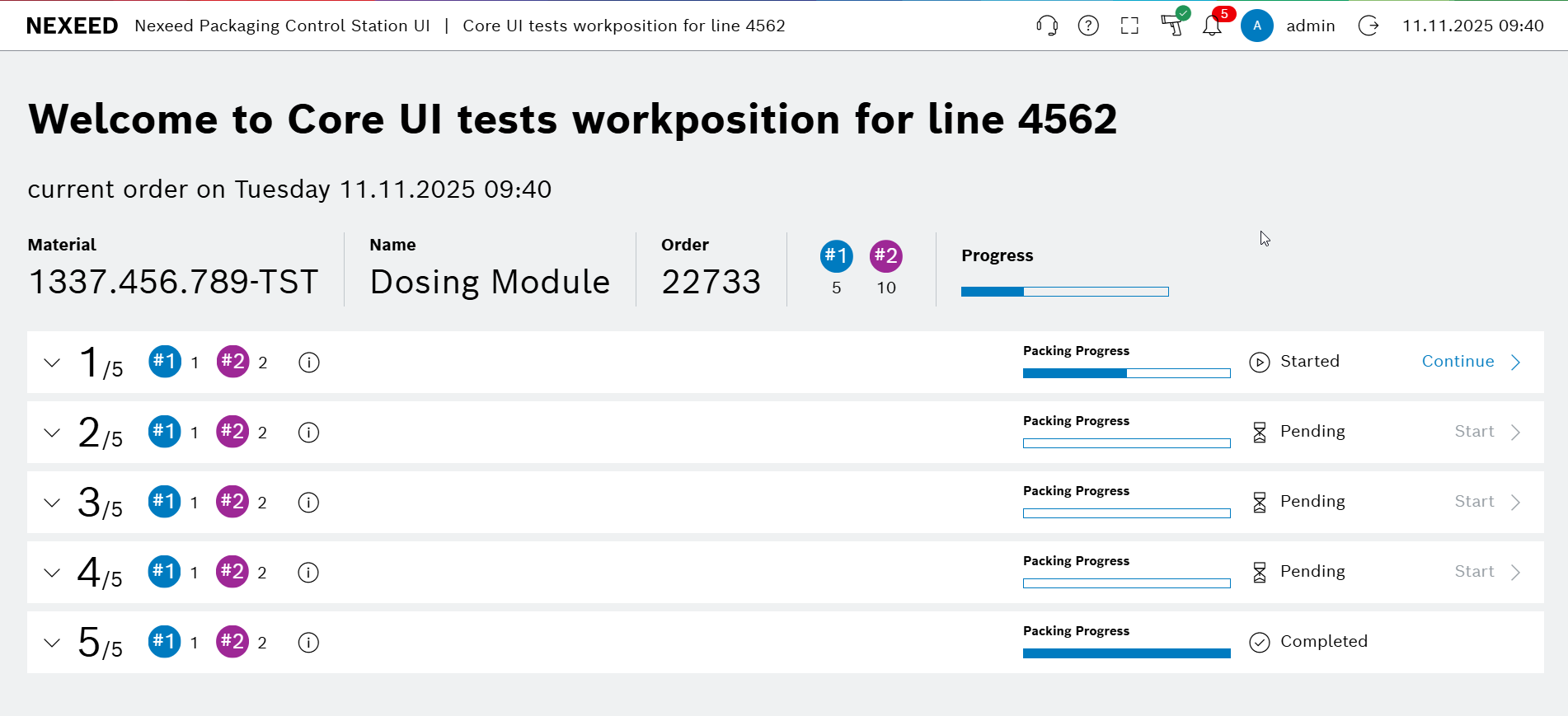
The verification page is shown.
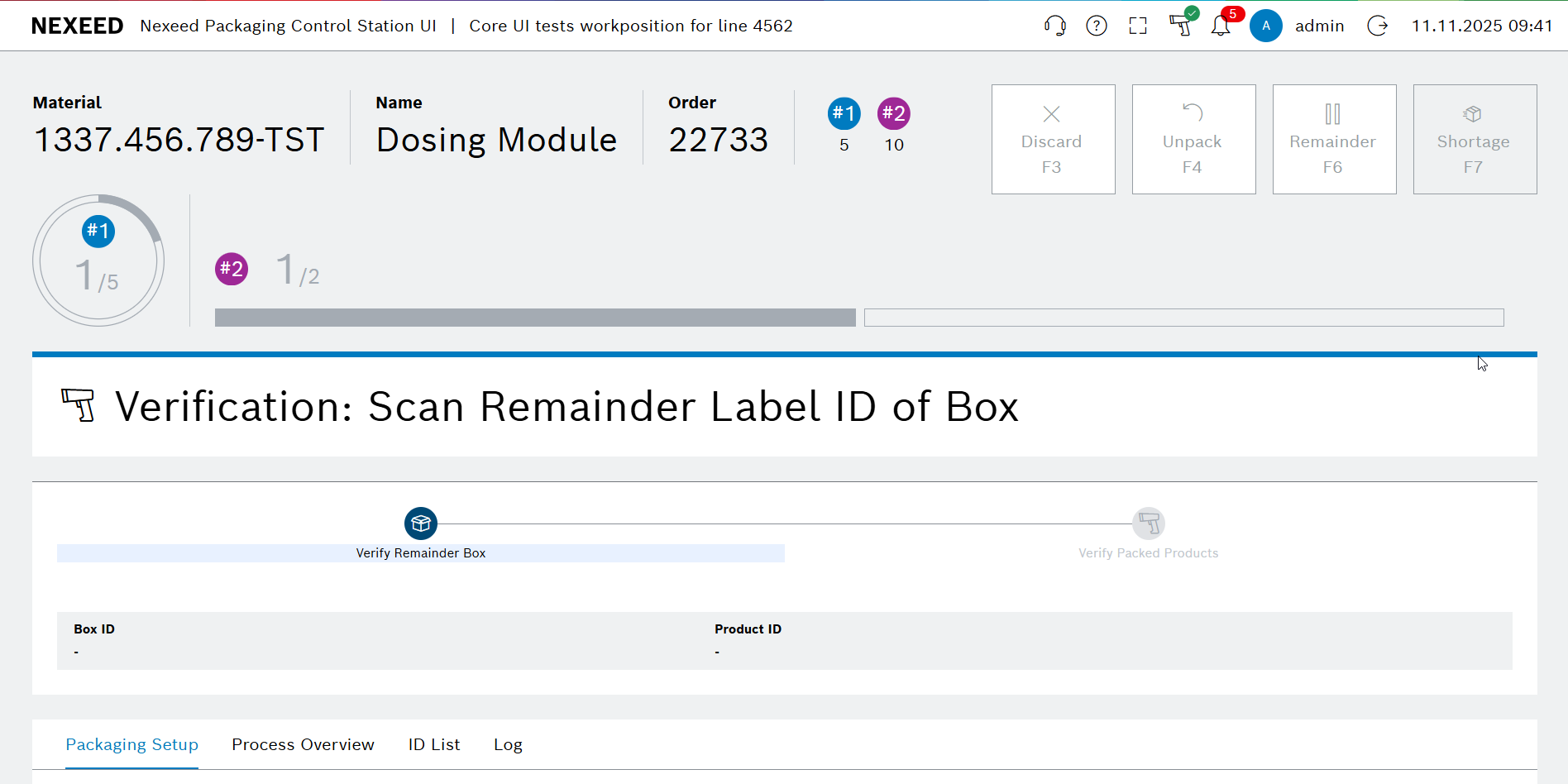
-
Scan the identifier or serial number of the box and the product.

The packaging screen is reloaded with the updated packing progress status.