Scanner
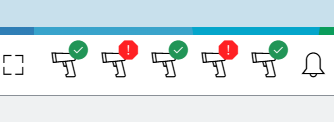
The scanner icon provides real-time updates on the connection status of your scanner. The scanner is used to read item labels, especially barcodes, for fast and accurate capture of item information.
| Icon | Status | Description |
|---|---|---|
|
No Scanner Connected / Detected |
The application cannot detect a scanner. Check the connection and ensure the scanner is switched on. |
|
Scanner Connected / Ready for Use |
The scanner is connected and ready. |


When multiple scanners are connected to the system, the interface displays all active scanner connections. When a product ID needs to be scanned, any connected and active scanner can be used to perform the scan successfully.