Overproduction remainder
The Overproduction Remainder feature is used when produced quantities exceed the quantities required by current orders. Excess products can be packed into an internal overproduction order and used later when another order with the same material and BEN is available.
The internal overproduction order is only created for semi-finished goods material.
When the original order has a single-level production setup for semi-finished goods:
-
An overproduction order with the same semi-finished material will be created.
-
The products in the overproduction order can be repacked into a new order with the same semi-finished material.
When the original order has a two-level production setup with a top-level finished good and a second-level semi-finished good:
-
An overproduction order with the semi-finished goods material will be created.
-
The semi-finished goods products in the overproduction order can be repacked into a new order with the same two-level production setup.
Create overproduction remainder
Prerequisites
-
The application is configured.
-
The label print template is configured.
-
The previous order is finished.
-
The station UI is on the dashboard.
-
The next incoming order has a different material number than the previous order.
-
Role as
Packaging Operator.
Procedure
-
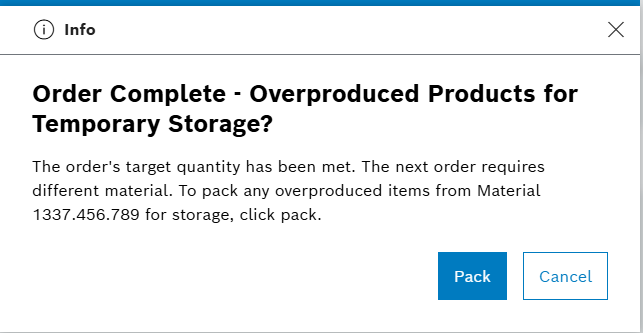
On the dashboard, when the incoming order has a different material number than the previous order, a confirmation prompt is shown.
-
Click on Pack.
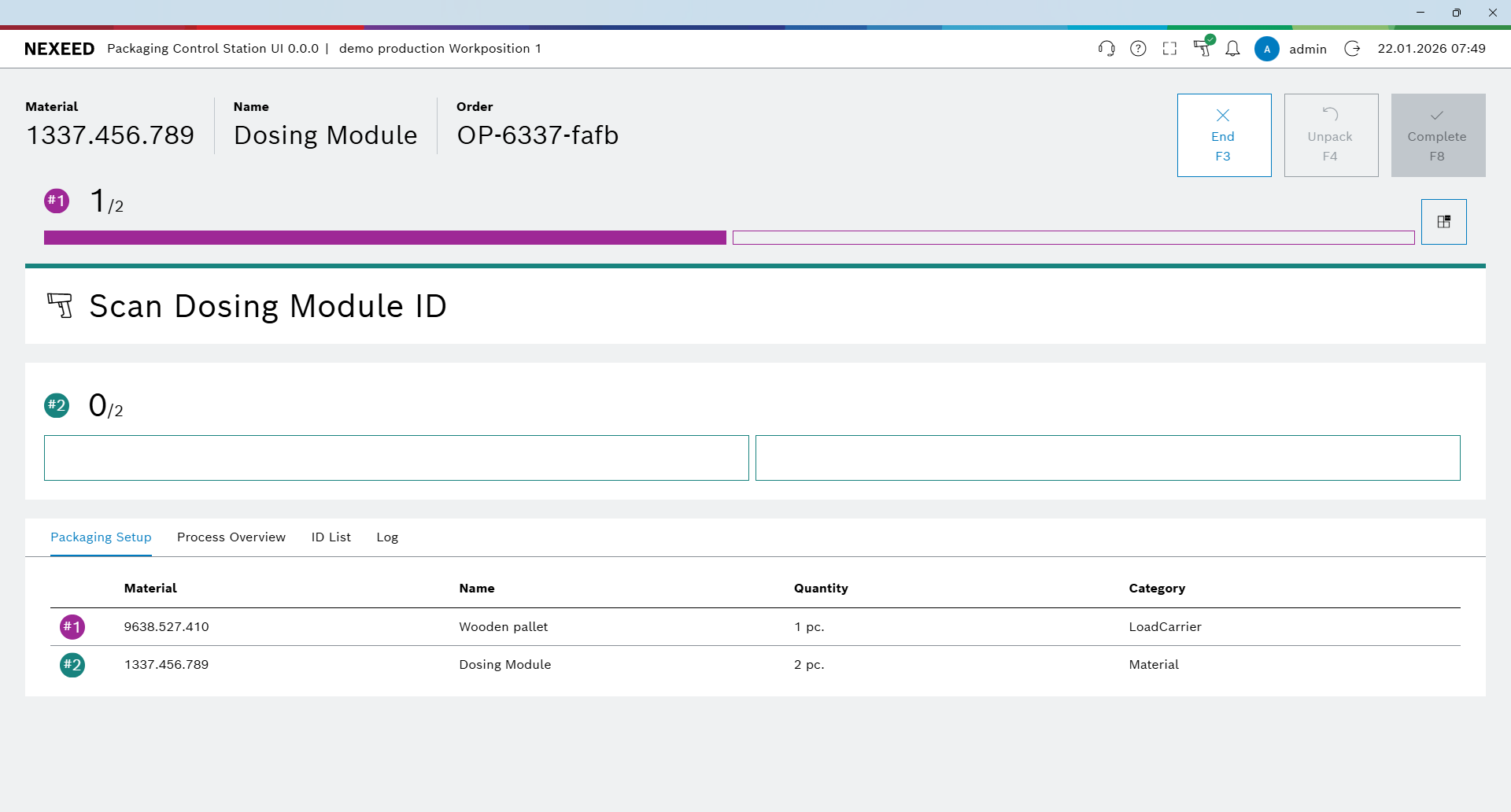
An overproduction order is created with a unique order number and you are redirected to the packaging screen to pack the overproduction order.
-
Click on End to finish packing.
You are redirected to the dashboard.
An overproduction order can also be created by clicking the Handle Overproduction button on a completed order.
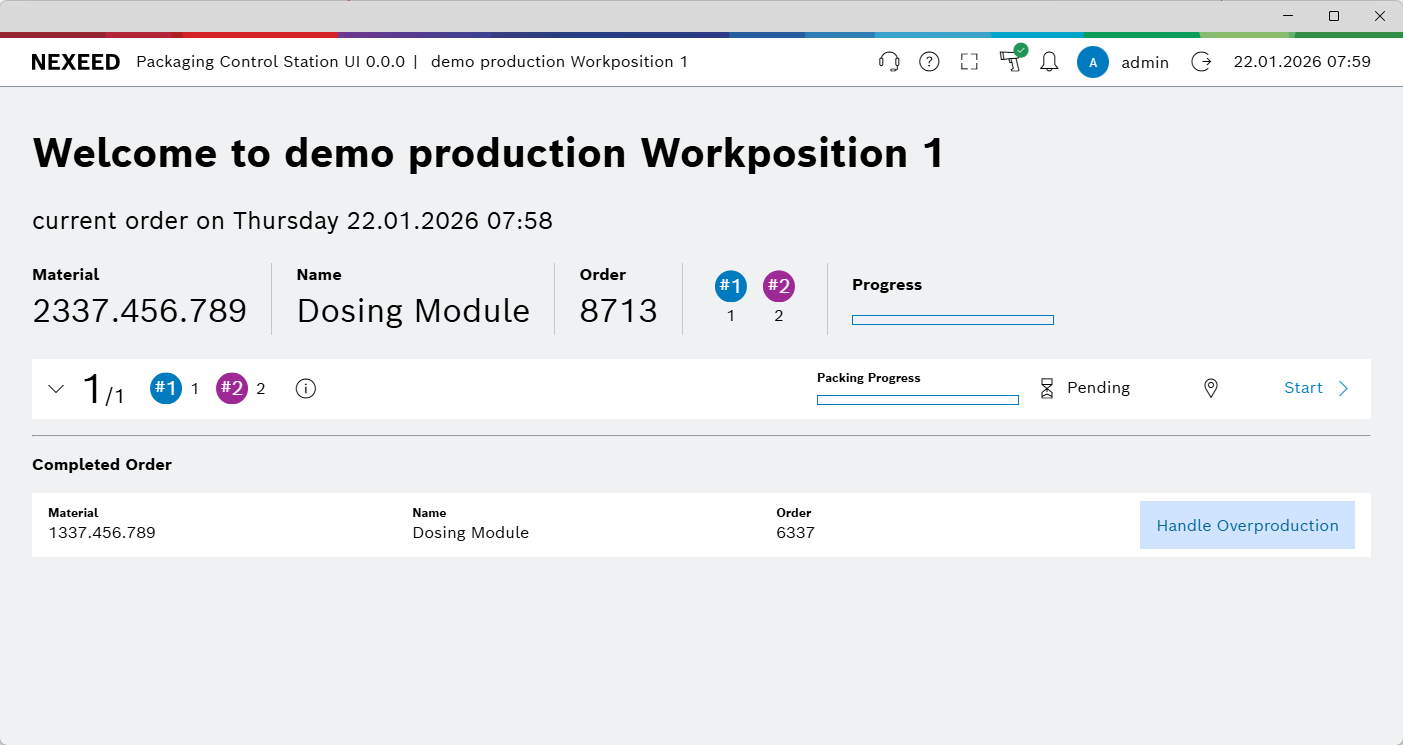
The overproduction remainder was created successfully.
Repacking using overproduction remainder
Prerequisites
-
A new order is ready to start.
-
Overproduction remainders with the same material number and BEN number are available in the system.
-
Role as
Packaging Operator.
Procedure
-
Click on Start.
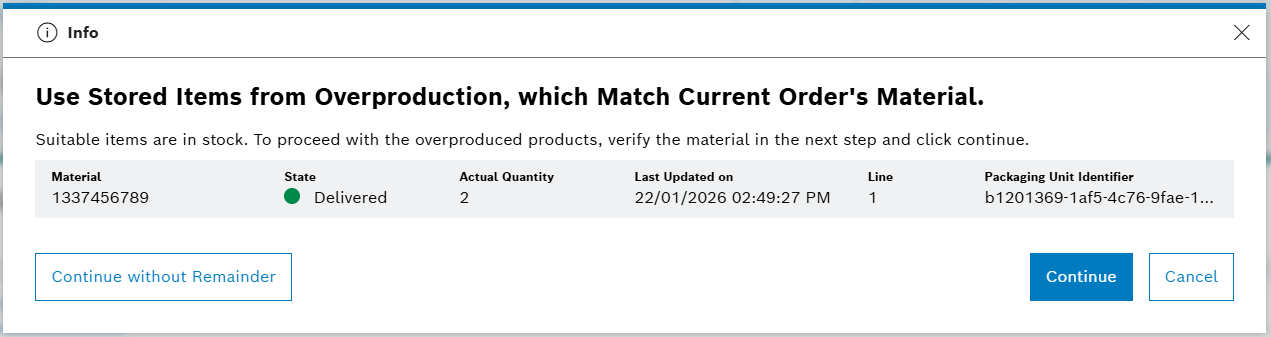
A prompt displays all available overproduction packaging units.
-
Click on Continue.
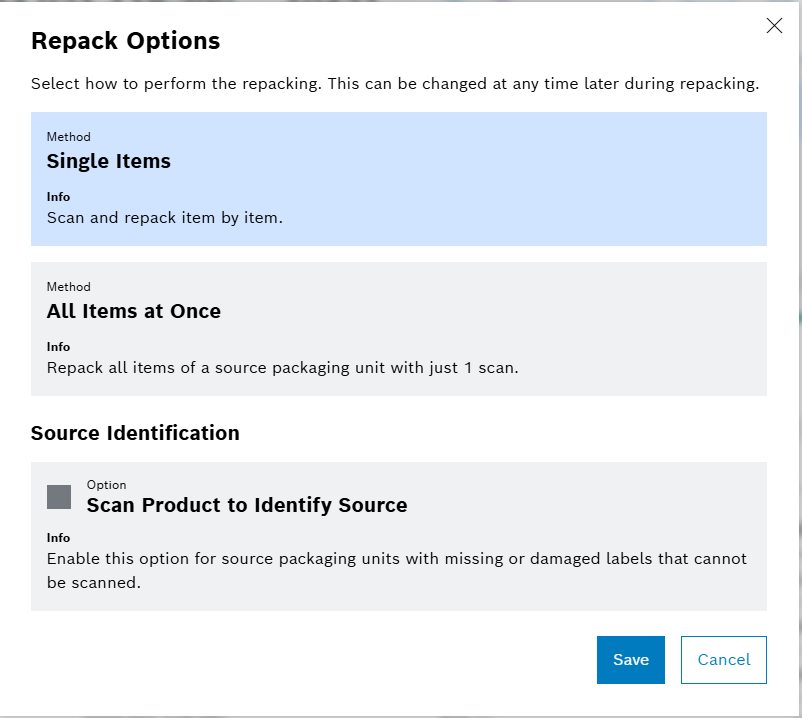
The Repack Options dialog appears.
-
Click on Save.
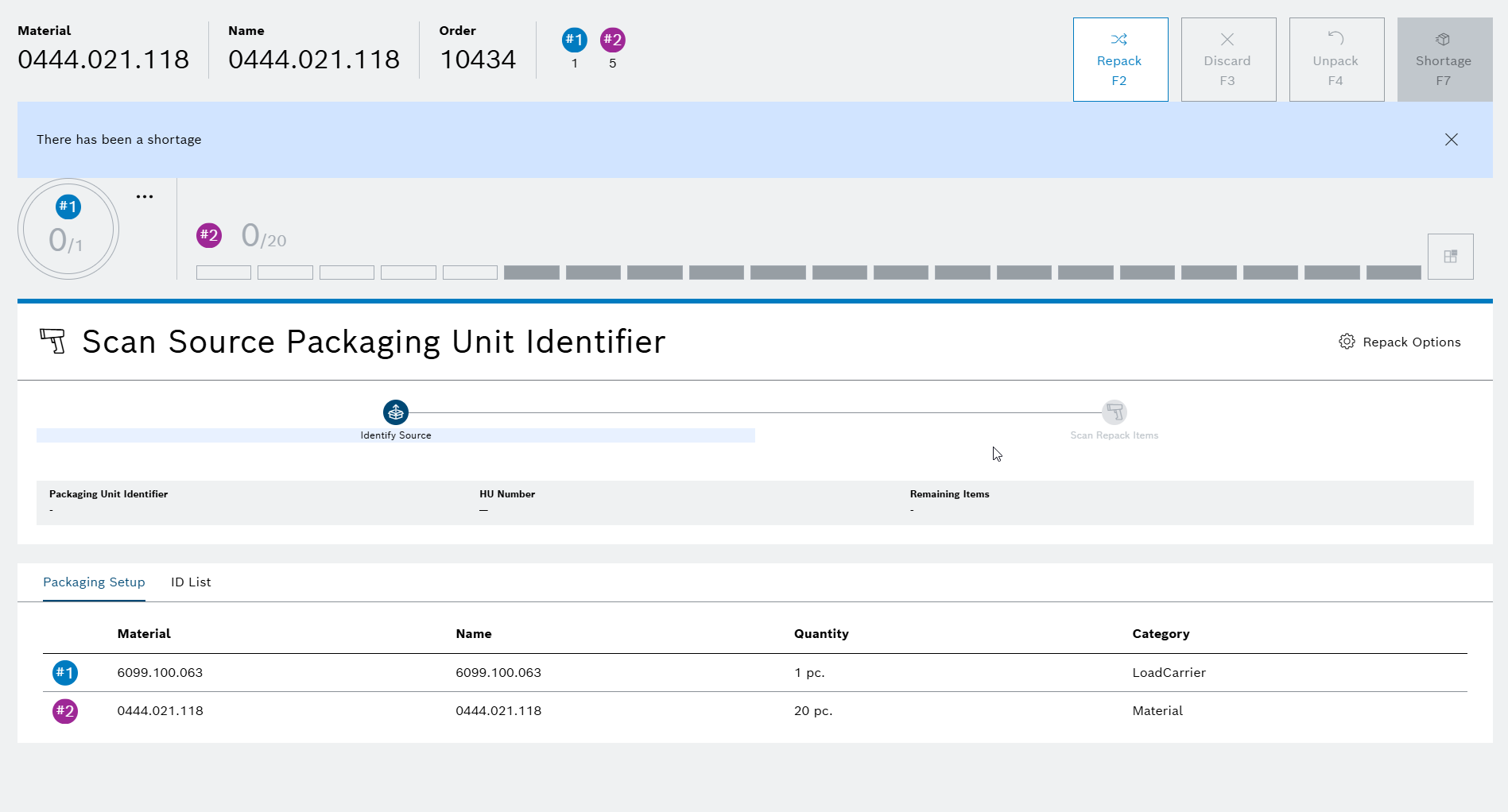
The packaging screen appears.
-
Scan the identifier of the overproduction packaging unit.
-
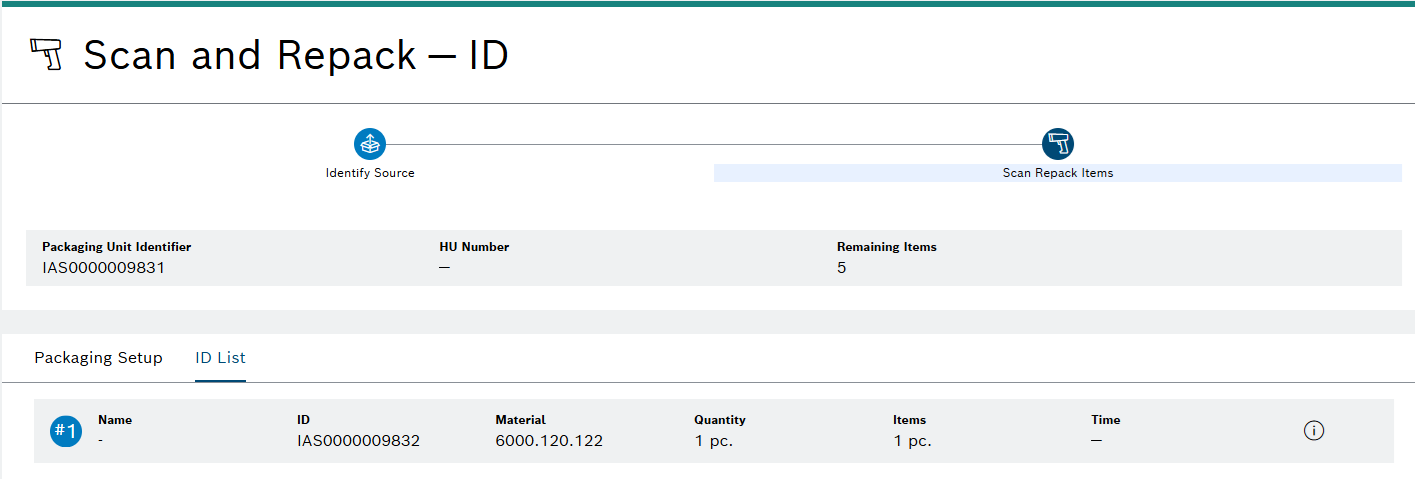
Scan the identifier or serial number of each product from the source packaging unit.
The scanned product is repacked and appears in the ID List.

-
Repeat until all products from the source packaging unit are repacked.
All products are repacked and shown in the ID List.
-
Click on Repack.
The user is redirected to the packaging screen.
The repacking process using the overproduction remainder was completed successfully.