Reducing data consumption of device communication
|
The use of Session Tickets is only available in the cloud. |
TLS handshake
In general, a handshake between the client (the device) and the server (the Device Portal) is required by the TLS protocol for data exchange .
The implementation of a complete TLS handshake comprises several steps:
-
The negotiation of cryptographic algorithms,
-
the verification of certificates and
-
the exchange of keys.
This process can take some time and requires a great deal of computing capacity, especially on devices with limited resources.
Because a full TLS handshake is performed for each communication between the device and the Device Portal, this can result in increased latency, slower response times and increased network traffic.
This may mean higher costs for devices that frequently need to establish a connection and/or are on a mobile network.
Session tickets
Devices can use session tickets to reduce data consumption. In this case, an appropriate session ticket is created. The ticket allows communication between the Device Portal and the device for 12 hours without a TLS handshake. This process reduces data consumption.
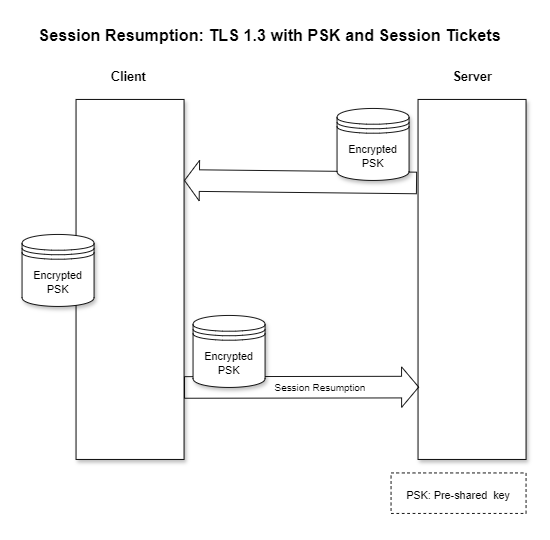
The Device Portal creates the session ticket. It is saved on the device. The ticket must be provided when the device submits a new request. The session is then resumed and no complete TLS handshake is necessary.
Further information can be found on the Internet, for example in this entry.