Registering a device
Devices can be registered in the Device Portal in a number of ways:
|
To register test devices, it is recommended that you register the device together with the Helpdesk. In particular, if the device is to be communicated with later in the Device Portal. Basic Auth communication can be enabled directly for this device by the help desk. |
-
The devices are imported via the web interface of the Device Portal using a predefined CSV file containing the device and all its information.
-
Self-registration via the device
If the device has a communication interface, it can also register itself in the Device Portal after an appropriate implementation.
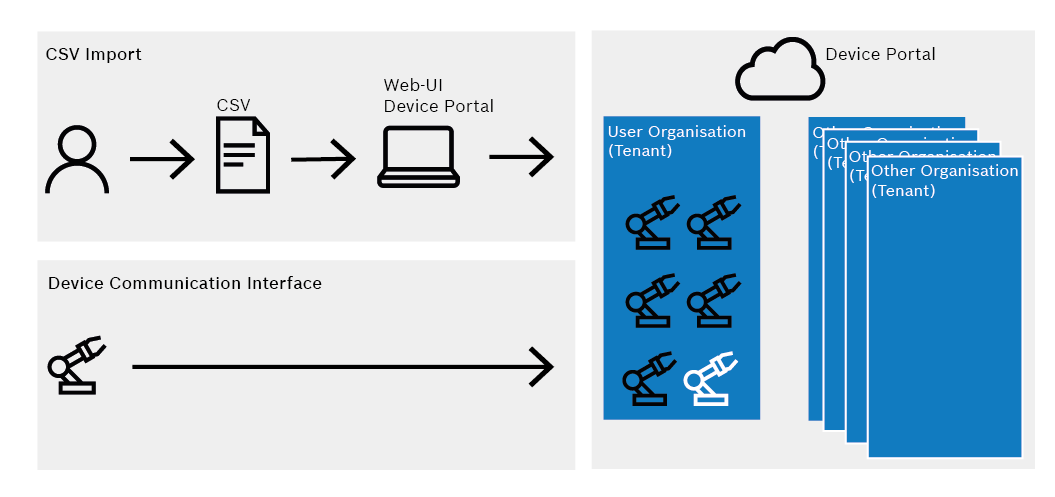
Adding machines and devices via CSV file import
|
Machines and devices added via a CSV import can only be deleted manually. |
New devices and machines can be created in the Device Portal using an appropriately configured CSV file and new devices can be added to existing machines or new machines.
Prerequisites
-
User role DP_CAN_IMPORT_MACHINES_AND_DEVICES
-
CSV file configured in accordance with Device Portal requests
Procedure
-
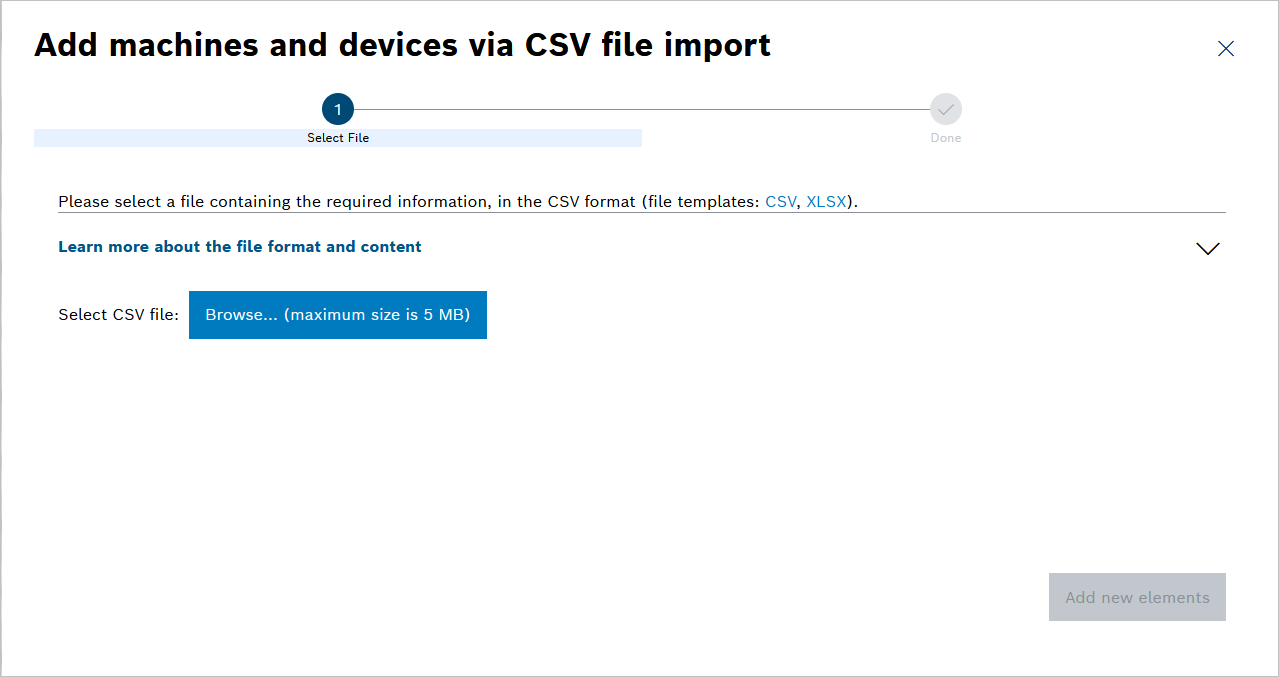
Click Upload in the Machine or Device view.
The import dialog opens.
-
Click Browse… to select the CSV file.
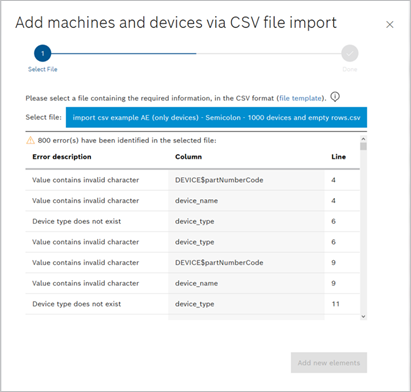
If the file does not meet the specifications, the relevant errors are displayed.
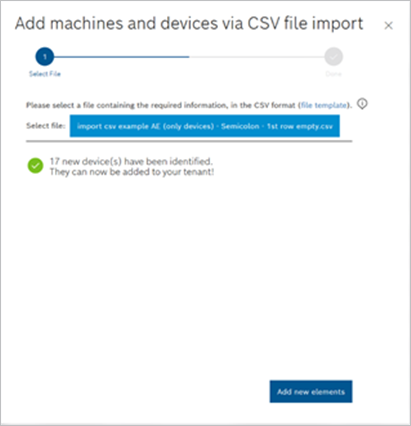
-
Click Add new elements to import the devices and machines in the CSV file.
The devices and machines, including their assignment, appear in the device portal in the corresponding views.