Adding a Rexroth connectivity unit device
Rexroth Connectivity Unit (RCU) devices can be added as follows:
Requirements
-
User role DP_DEVICE_CREATE
-
CSV file configured in accordance with Device Portal requests
Procedure
-
Click Select in the Rexroth Connectivity Unit (RCU) tile.

-
Click Browse… to select the CSV file.

If the file does not meet the specifications, the relevant errors are displayed.
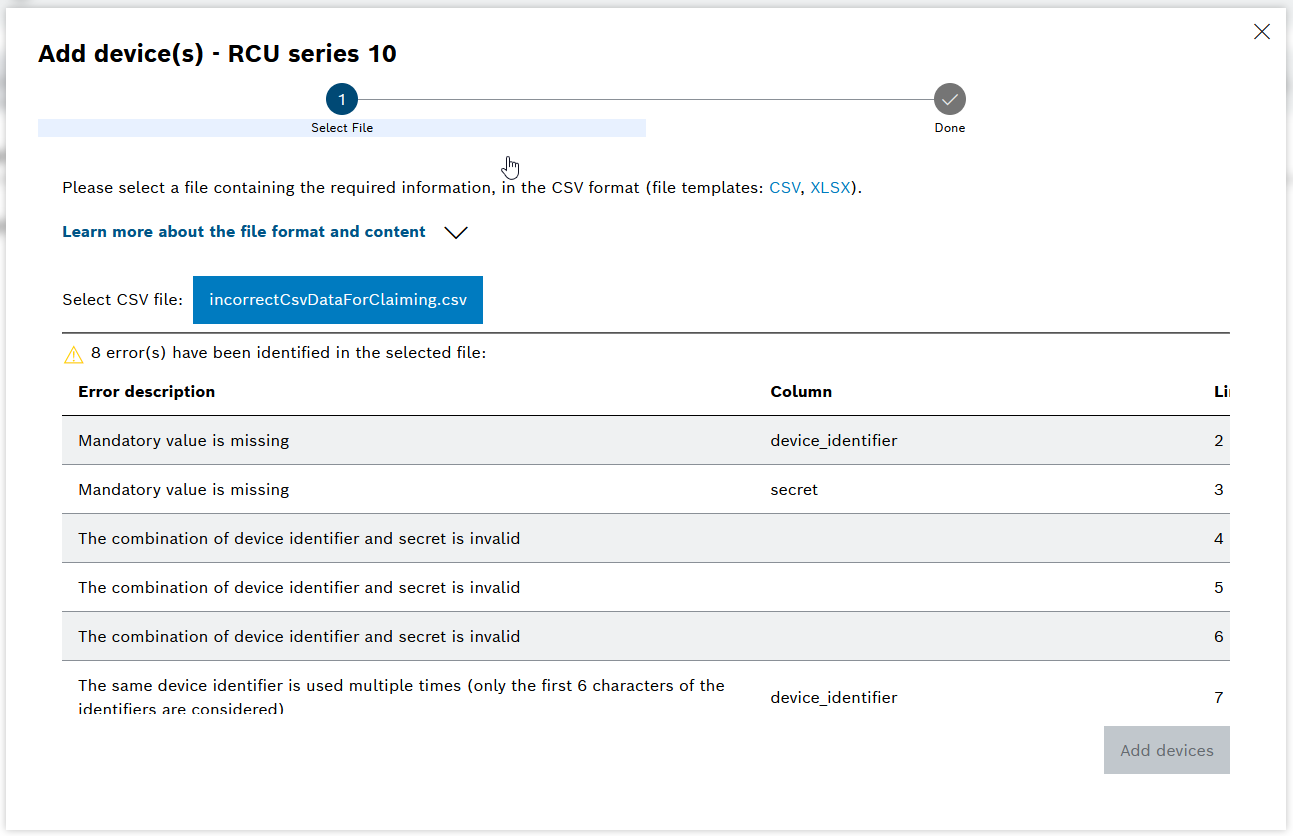

-
Click Add devices to add them to the tenant.

One or more Rexroth Connectivity Unit devices have been added to the Device Portal. The devices can now be managed in the Device Overview view.
Structure of the CSV import file
|
The information for the CSV file can be found on the relevant type plate of the device. |
To be able to correctly add the Rexroth Connectivity Unit to the Device Portal, the CSV file must meet the following boundary parameters:
-
Formatting:
-
File extension.csv
-
Semicolon used as a separator between columns
-
Encoding: UTF-8 (with Excel - Office 365, save as CSV UTF-8)
-
-
Content:
-
Maximum 1000 rows
-
Device ID (= serial number) and Secret (= IMEI) can be found on the device label
-
Characters permitted for device ID: A-Z a-z 0-9 _ -. :
-
Characters permitted for device name and description: A-Z a-z 0-9 ä Ä ö Ö ü Ü ß ? + -. : / ( ) * = #
-
Name: If no name if specified, the device ID is used as the name
-
-
CSV file structure
Column name Description device_identifier (mandatory)
Serial number of the device with an additional character
The serial number can be found as a barcode on the packaging and on the rating plate of the device.
secret (mandatory)
IMEI number of the device
The number can be found on the packaging and on the rating plate of the device.
device_name
Device name that appears in the Device Overview view. The device names can be used to search in the Device Portal.
device_description
Device description
