Device claiming
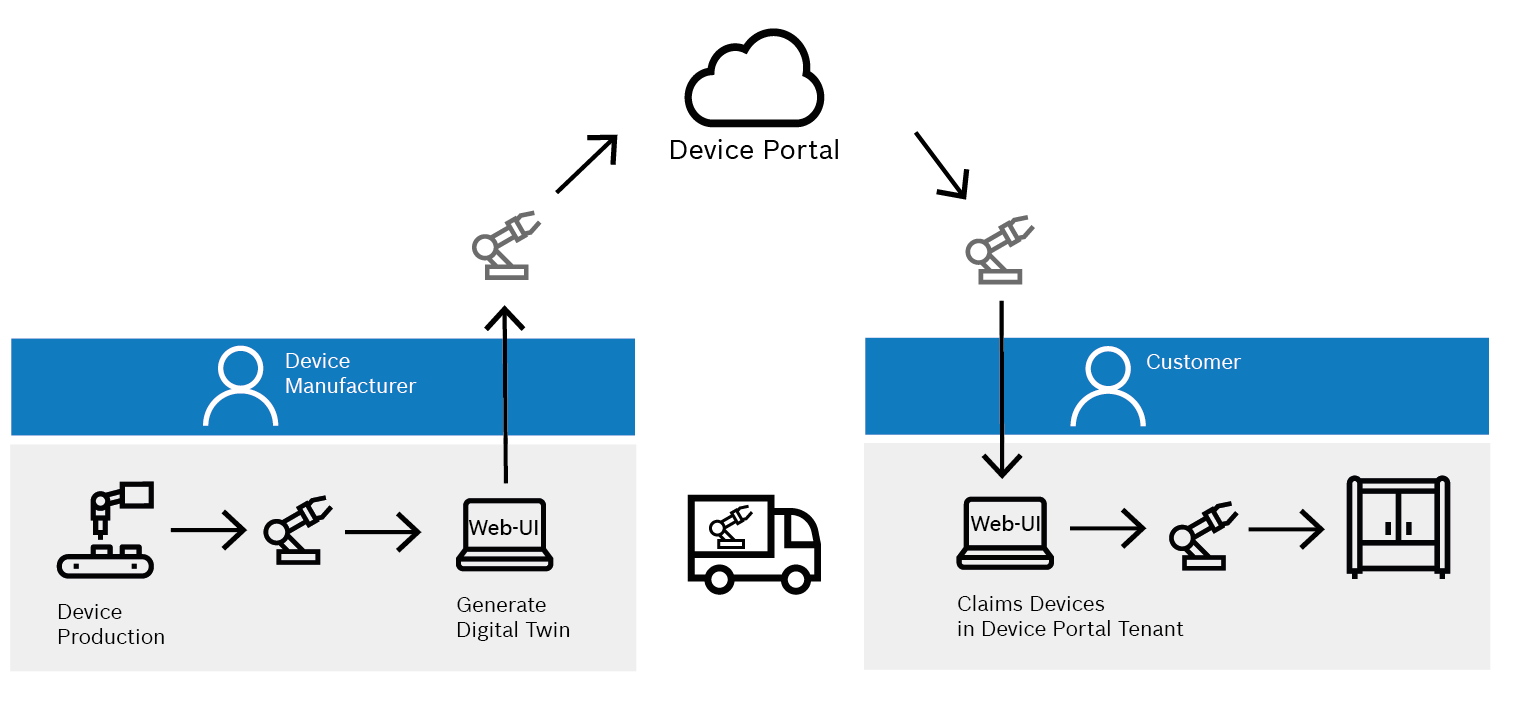
If a device has already been registered in the Device Portal, e.g. by a supplier such as Rexroth, but is not visible in its own tenant, this device can be added via the Claiming function in the Device Portal.
There is a push-button procedure or the long-live secret procedure for the claiming. The respective device integrator, e.g. the device manufacturer, defines the respective procedure for its devices. If necessary, ask the supplier which procedure is used.
Add devices
In the Device Overview view it is possible to add (claim) devices. New devices can be claimed by different methods depending on the device type.
-
Open the Device Portal > Device Overview menu entry.
-
Click on
 in the header.
The dialog window opens.
-
Select the desired device type.

-
Follow the device-specific instructions to complete the claiming process.
|
If additional device types are required, contact the help desk. |
Device-specific claiming instructions
-
Specific instructions for claiming ctrlX CORE devices.
-
Adding a Rexroth connectivity unit device
Specific instructions for claiming Rexroth Connectivity Unit devices.