SOT
    • Introduction
    • User manual
      • Type groups and types
        • Description of the interaction elements for type groups
        • Search for type group
        • Create type group
        • Edit type group
        • Deleting a type group
        • Display types of a type group
        • CSV import type group and types
        • CSV export type group and types
      • Target cycle times
        • Description of the interaction elements for target cycle times
        • Search for type group
        • Select equipment
        • Select time stamp
        • Filter type groups with target cycle time
        • Display target cycle time history
        • Edit target cycle times
        • Delete target cycle time history
        • CSV import target cycle times
        • CSV export target cycle times
        • Configure columns
      • Target values
        • Description of the interaction elements for setpoints
        • Search for type group or KPI
        • Select equipment
        • Select display mode
        • Select KPI element or type group
        • Select time stamp
        • Filter type groups or KPI elements with target values
        • Display target value history
        • Edit target values
        • Delete target value history
      • Downtime Causes
        • Description of the interaction elements for downtime causes
        • Search for downtime causes
        • Filter downtime causes
        • Removing duplicates
        • Create downtime cause
        • Edit downtime cause
        • Delete downtime cause
        • Edit translations
        • Merge downtime causes
        • CSV Import downtime causes
        • CSV export downtime causes
        • Configure columns
      • Configuration
        • System configuration section
        • Auto-insert station error
        • Station error blocklist
        • Downtime Text Templates
        • Facility management
        • Facility configuration
    • Operations manual
    • API documentation
    • Glossary
Shopfloor Management Administration
  • Smart Operations Toolkit
    • Deviation Processor
    • Multitenant Access Control
    • Notification Service
    • Ticket Management
    • Web Portal
  • Shopfloor Management
    • Andon Live
    • KPI Reporting
    • Operational Routines
    • Shift Book
    • Shopfloor Management Administration
  • Product & Quality
    • Process Quality
    • AI Services
  • Machine & Equipment
    • Condition Monitoring
    • Device Portal
  • Enterprise & Shopfloor Integration
    • Information Router
    • Master Data Management

SOT Learning Portal

  • Shopfloor Management Administration
  • User manual
  • Target values
  • Select display mode

Select display mode

There are two display modes for displaying the target values:

  • Select by KPI :

    In this mode, a type group table is displayed with the target values corresponding to the selected line and KPI element.
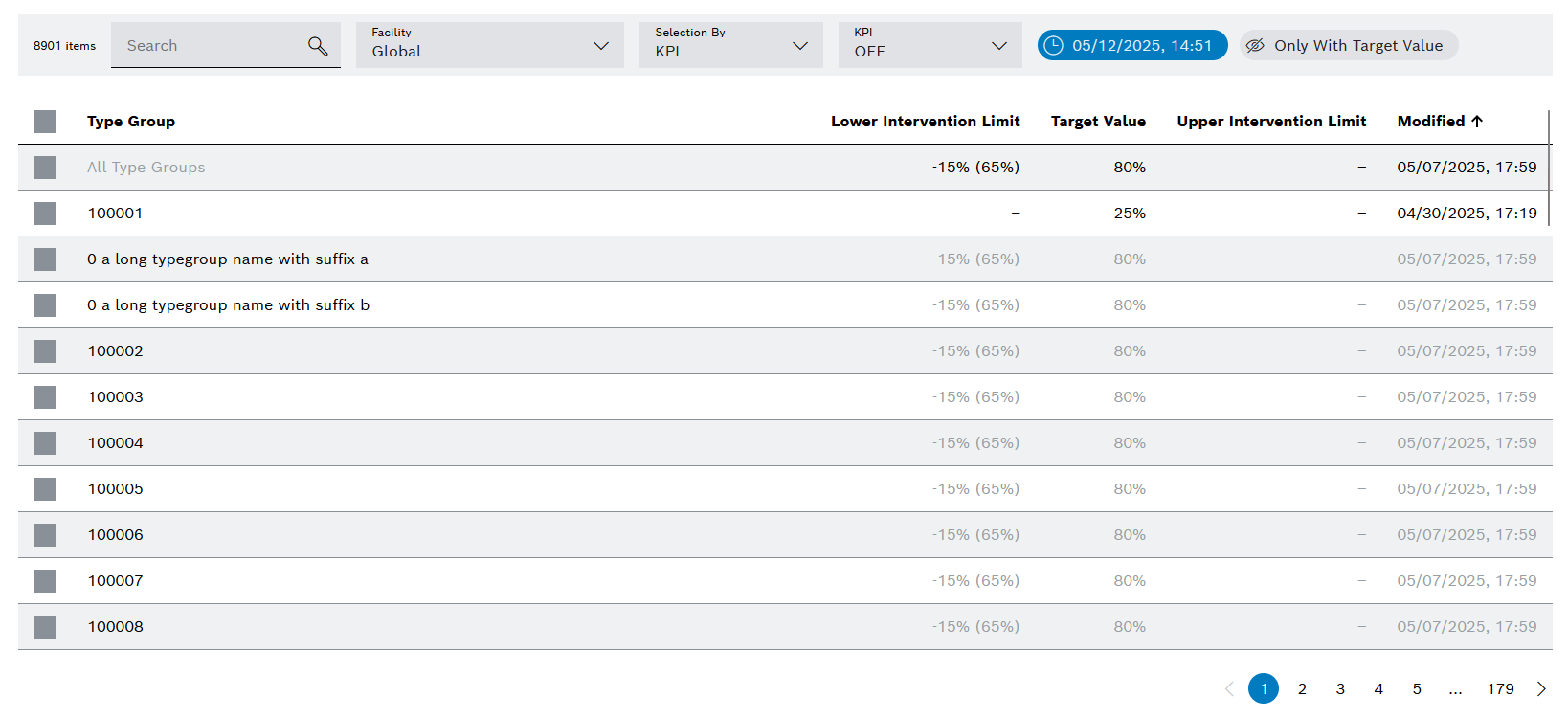
    kpi_administration_target_values_view
  • Select by Type group :

    In this mode, a KPI table is displayed with the target values corresponding to the selected line and type group.
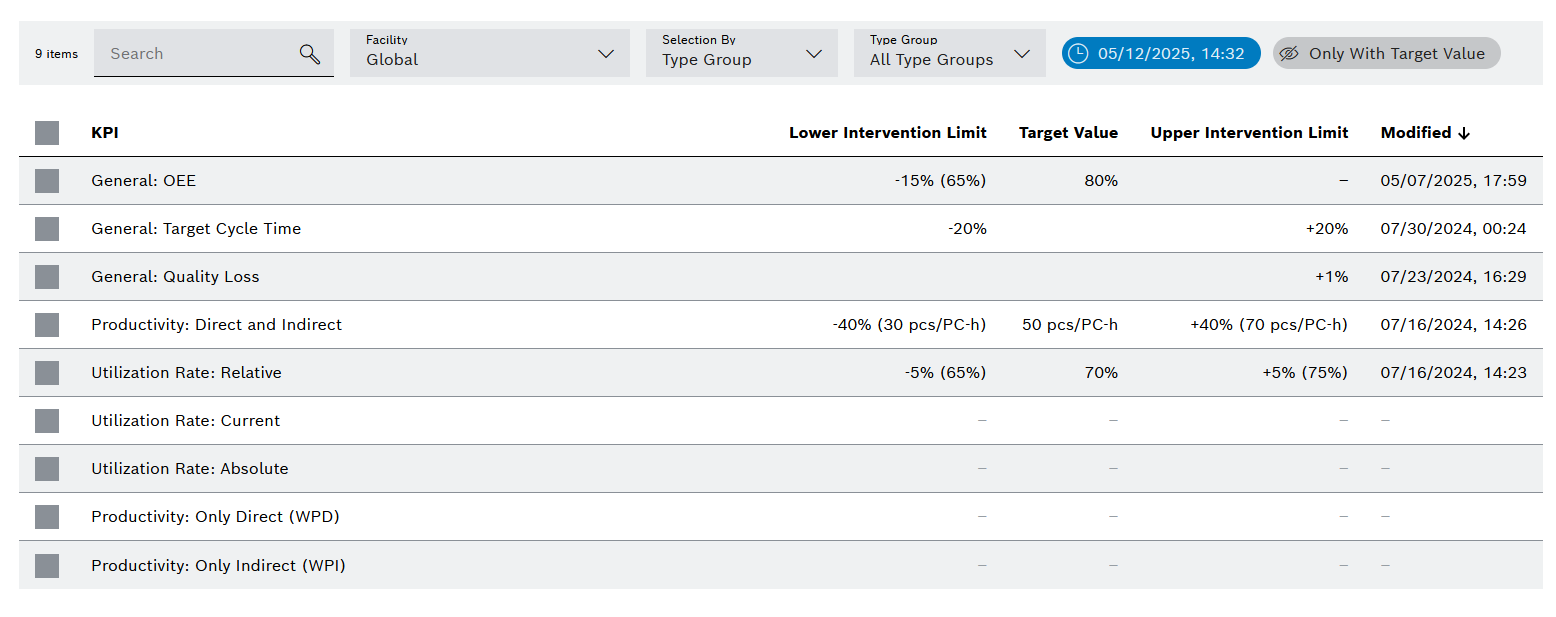
    kpi_target_values_kpi_table_view

Prerequisites

  • Administration: User or Administration: Admin role

  • The Target Values tab opens. Target Values tab

Procedure

Select the desired display mode from the Selection by drop-down list.

The target values are displayed according to the selected display mode.

Contents

© Robert Bosch Manufacturing Solutions GmbH 2023-2026, all rights reserved

Changelog Corporate information Legal notice Data protection notice Third party licenses