Facility configuration
The Facility configuration area is useful to:
-
disable facilities, for example, that no longer exist, are no longer needed, or were created by mistake.
-
detect facilities, that either do not exist in Master Data Management or are not synchronized yet
Prerequisites
-
Administration: Adminrole -
The Configuration tab is open. Configuration tab
Procedure
Select the Facility configuration section from the section drop-down list  .
.
The Facility configuration section opens.
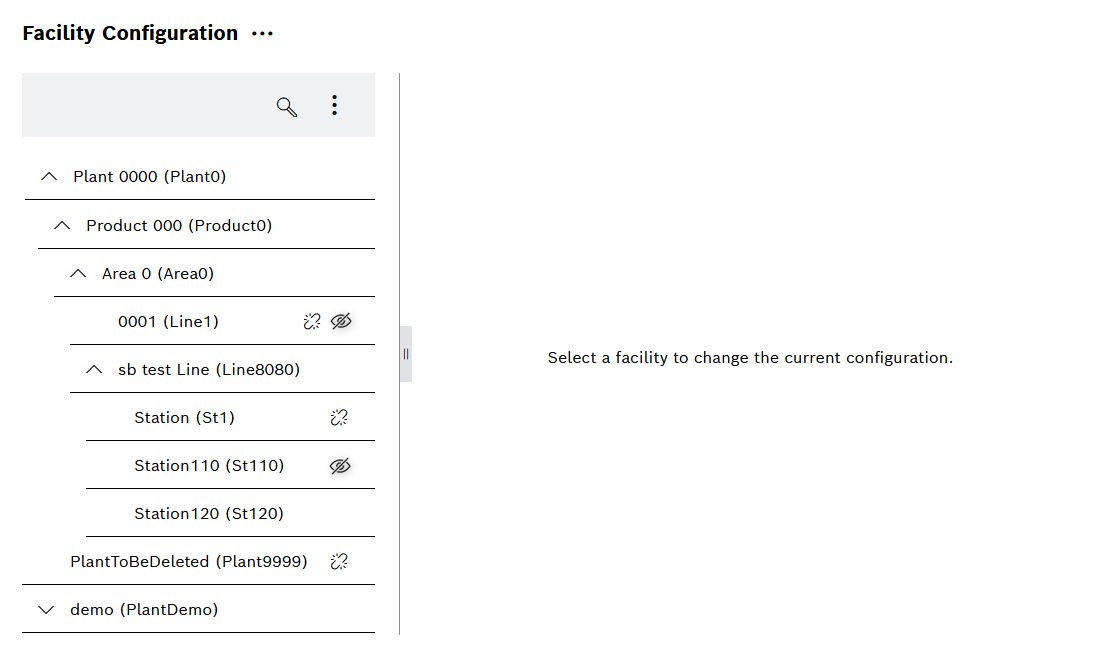
|


Disable facilities
Disabled facilities will not show up in any other view of Shift Book, Andon Live, KPI Reporting, or Administration. No already existing data will be deleted or aggregated again.
Disabling a facility is useful e.g. when a facility no longer exists, is no longer needed, or was created by mistake.
Prerequisites
-
Administration: Adminrole -
The Configuration tab is open. Configuration tab
Procedure
-
Select a facilitiy in the facility tree.
-
Deactivate the checkbox Enabled.
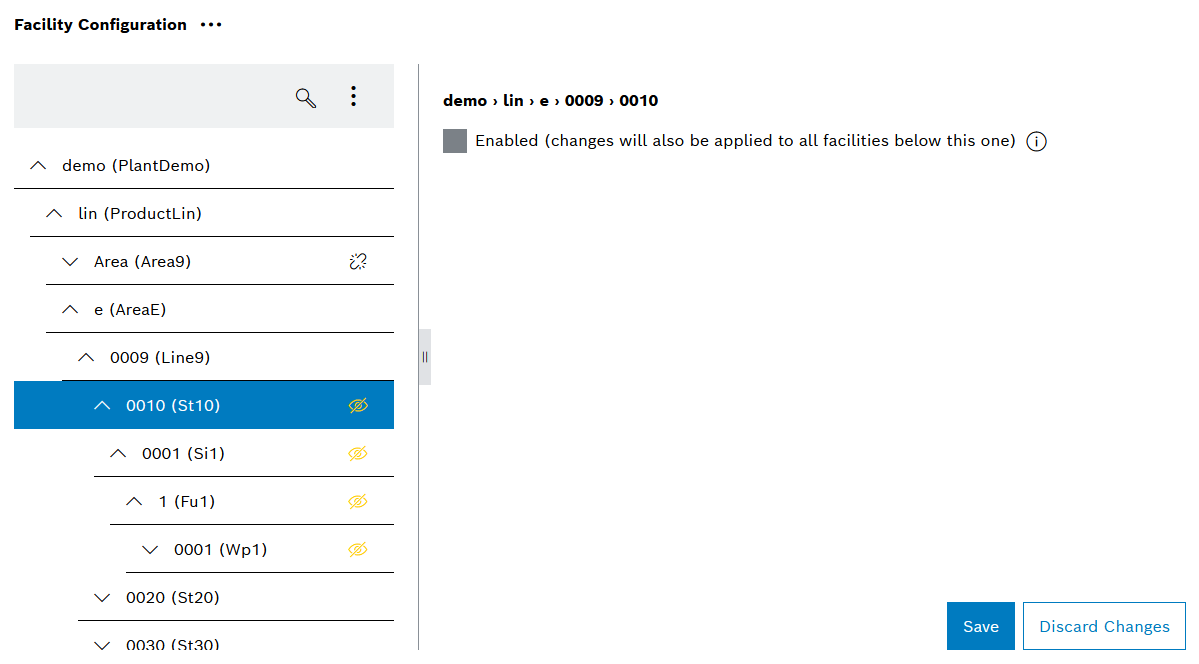
An yellow icon
 indicates that selected facility and all children will be disabled after click on Save.
 -
Click Save.
The selected facility and all children are disabled.
Your changes have been saved.