Training & documentation section
The links for training and documentation can be accessed by clicking the corresponding section under the help header of portal menu(question mark icon).
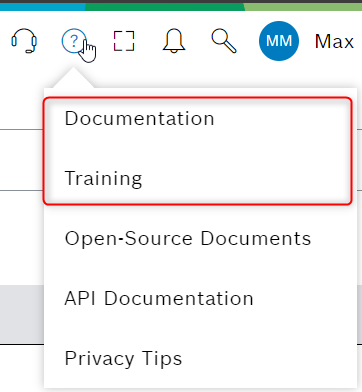
Figure 1. Training & Documentation menu
Both urls can be configured per language and instance via environment variables.
The information can also be configured per tenant from Web Portal configuration page. The training/documentation tabs can either be turned off entirely or a custom link can be shown per language and per tenant. If nothing is configured default would be the environment configuration:
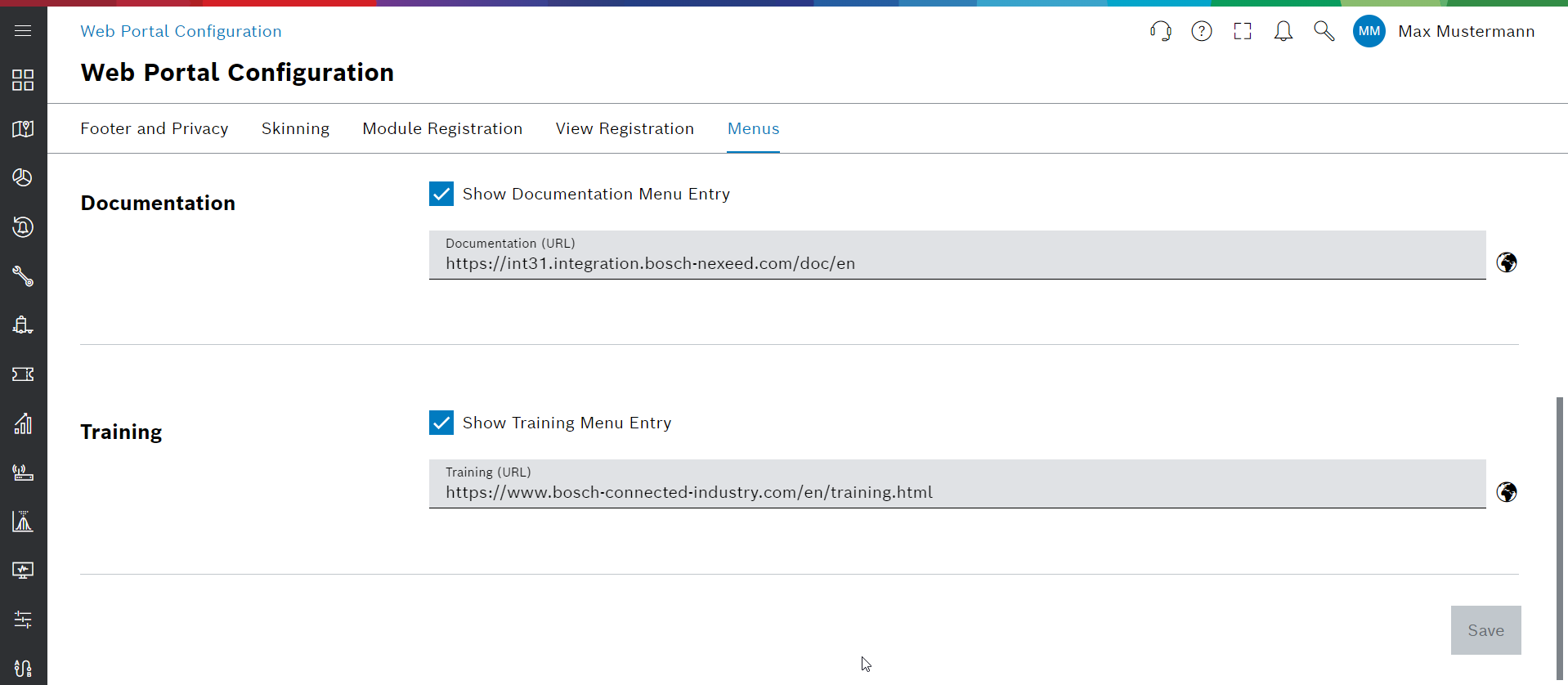
Figure 2. Menu settings in Web Portal Configuration
If a language is not configured, the UI falls back to the English configuration. If an empty configuration is configured for a language, default from environment setting will be applied.