Sharing a dashboard space
Prerequisites
-
Dashboard Space Adminrole -
You are listed as an owner of the space to be shared
-
Open the Dashboards menu entry. The spaces overview opens.
-
On the card of the space to be shared, click the three-dot menu and select Edit.
The Edit space dialog opens.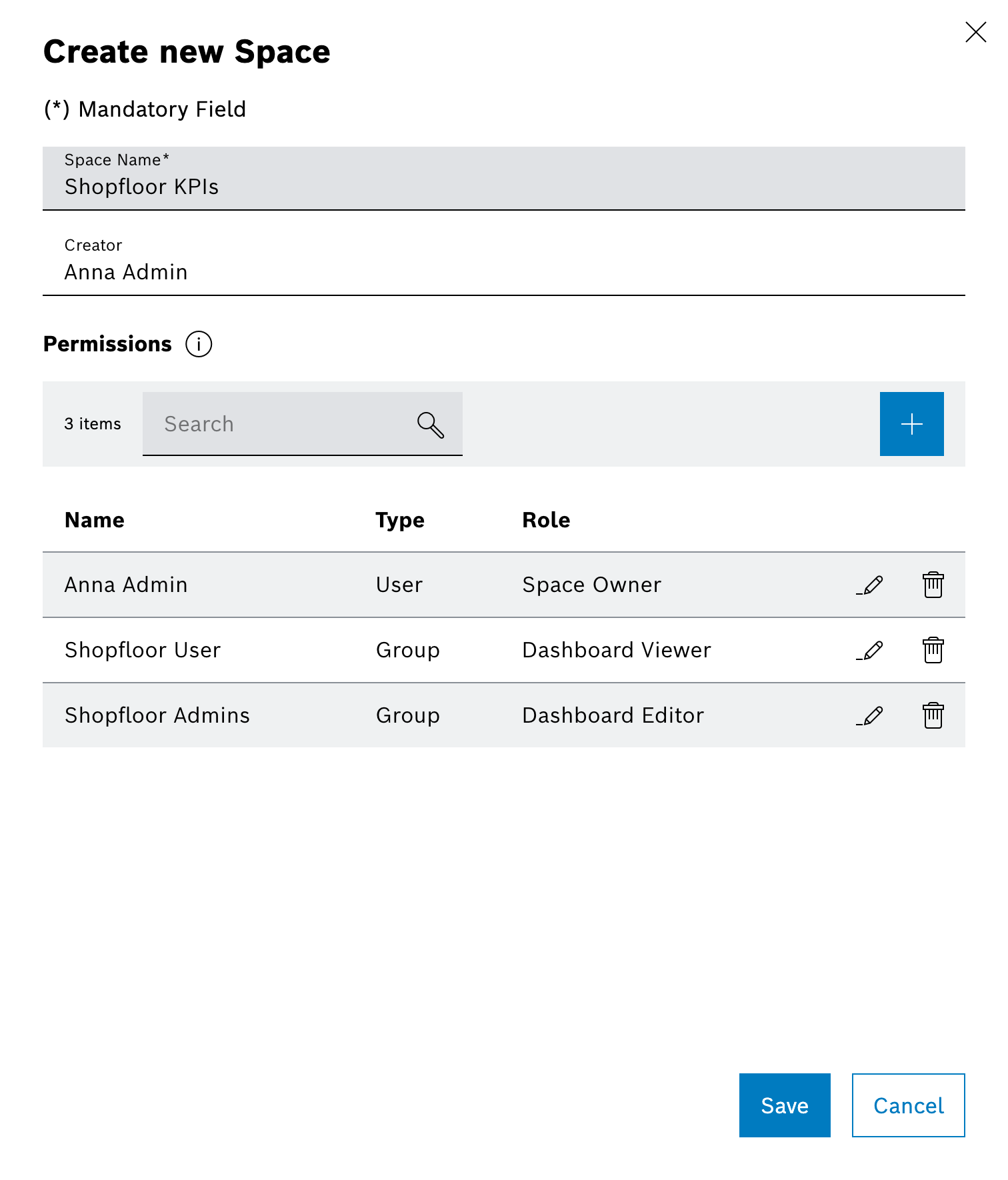
-
Click Add in the permissions section to add Users or Groups.
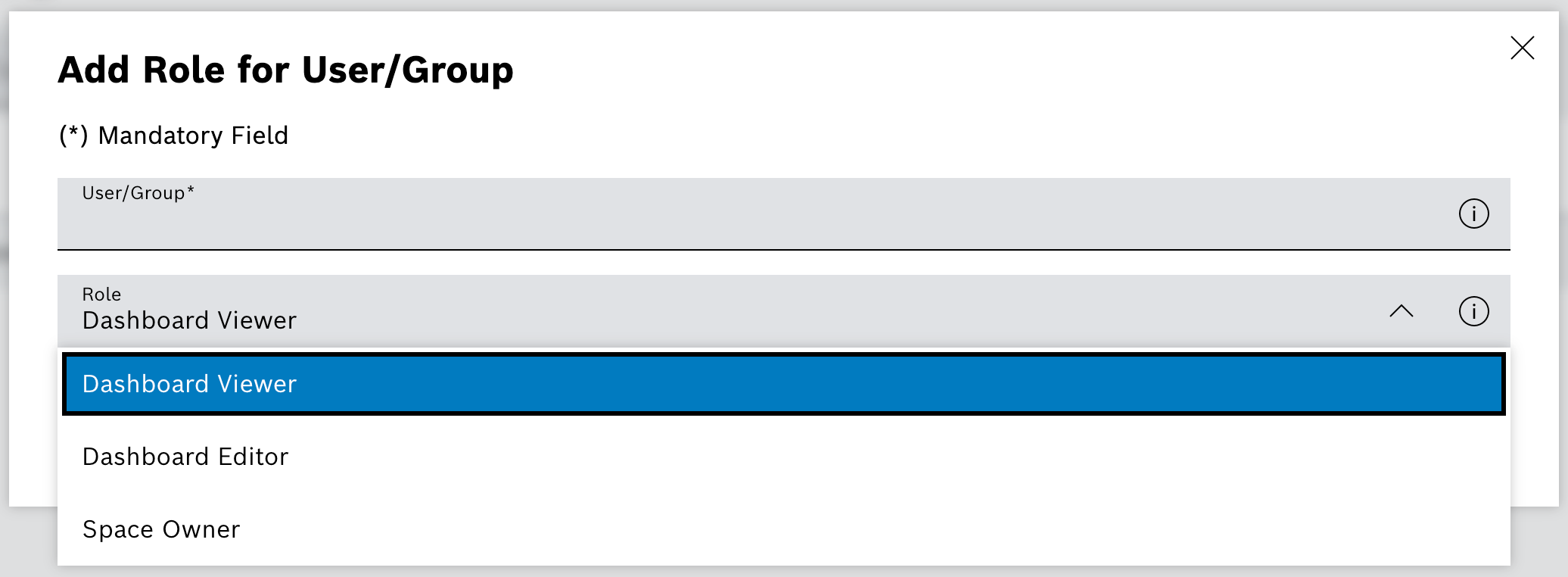
-
Search for the person or MACMA group and select the entry from the list.
-
Choose the permission level:
-
Space Owner lets recipients manage the space, its dashboards, and permissions.
-
Dashboard Viewer lets recipients open but not edit the dashboards.
-
Dashboard Editor lets recipients edit dashboards but not the space configuration.
-
-
Click Add to include further recipients if required.
-
Confirm with Save.
-
Recipients see the shared space with the assigned permissions in their spaces overview.