Creating, changing and deleting rules
Rules are managed with the agent. Open the agent with Chat in the menu or with Open chat. See Chatting with the agent.
Replace the values in angle brackets with your own names.
Prerequisite
-
rules:read,rules:writeorrules:deletepermission, depending on the task -
ai_chat:readpermission
Viewing rules
Ask the agent, for example:
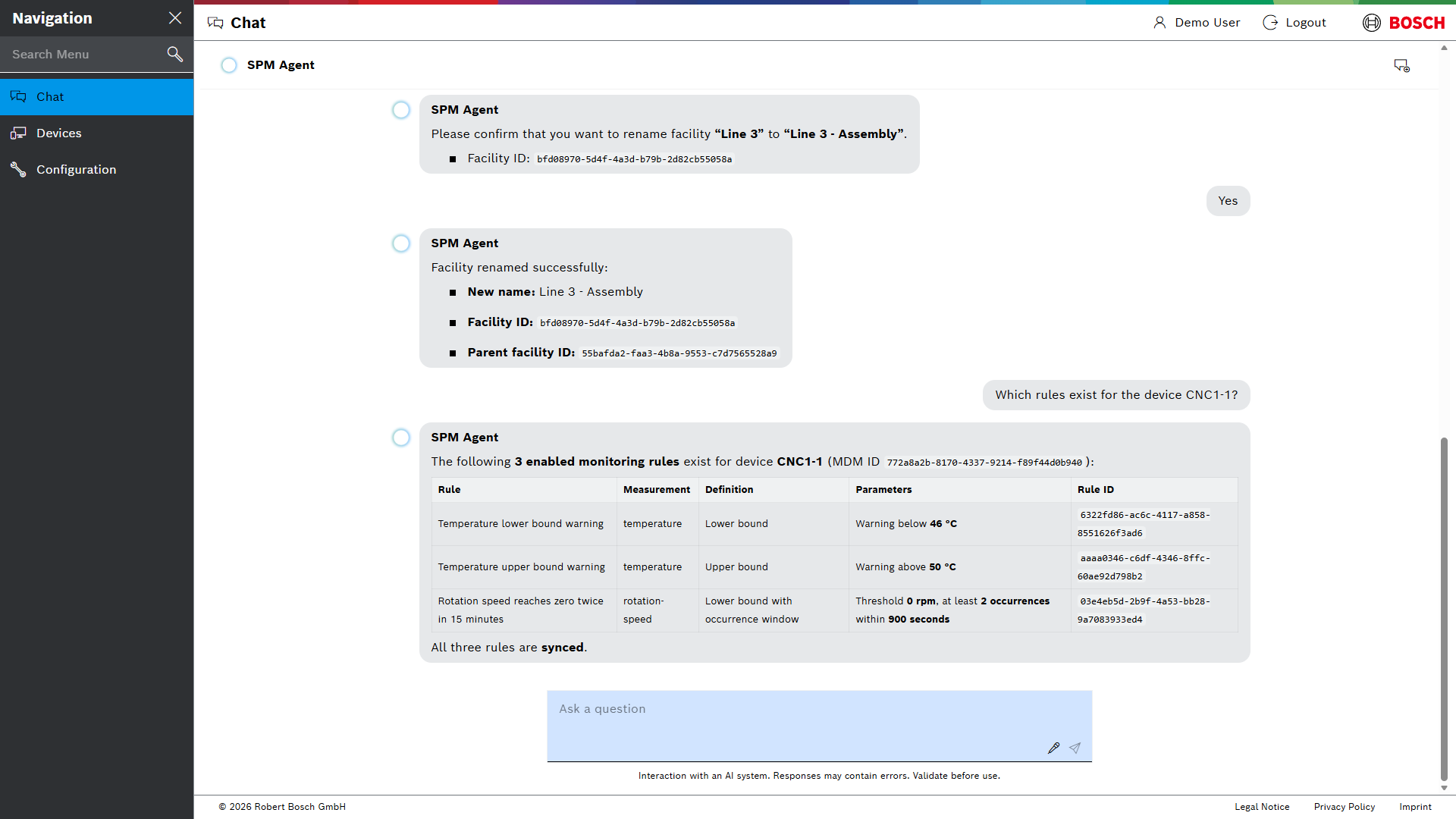
Which rules exist for the device <device>?
The agent lists the rules with their measuring point, condition, status and ID.
Creating a rule
-
Describe the rule: rule type, name, device, measuring point and thresholds. For example:
Create an upper bound rule "<rule name>" for the measuring point <measuring point> on the device <device>: warning above <value>, error above <value>.
If information is missing, the agent asks for it.
The agent creates the rule and shows its settings and its ID.
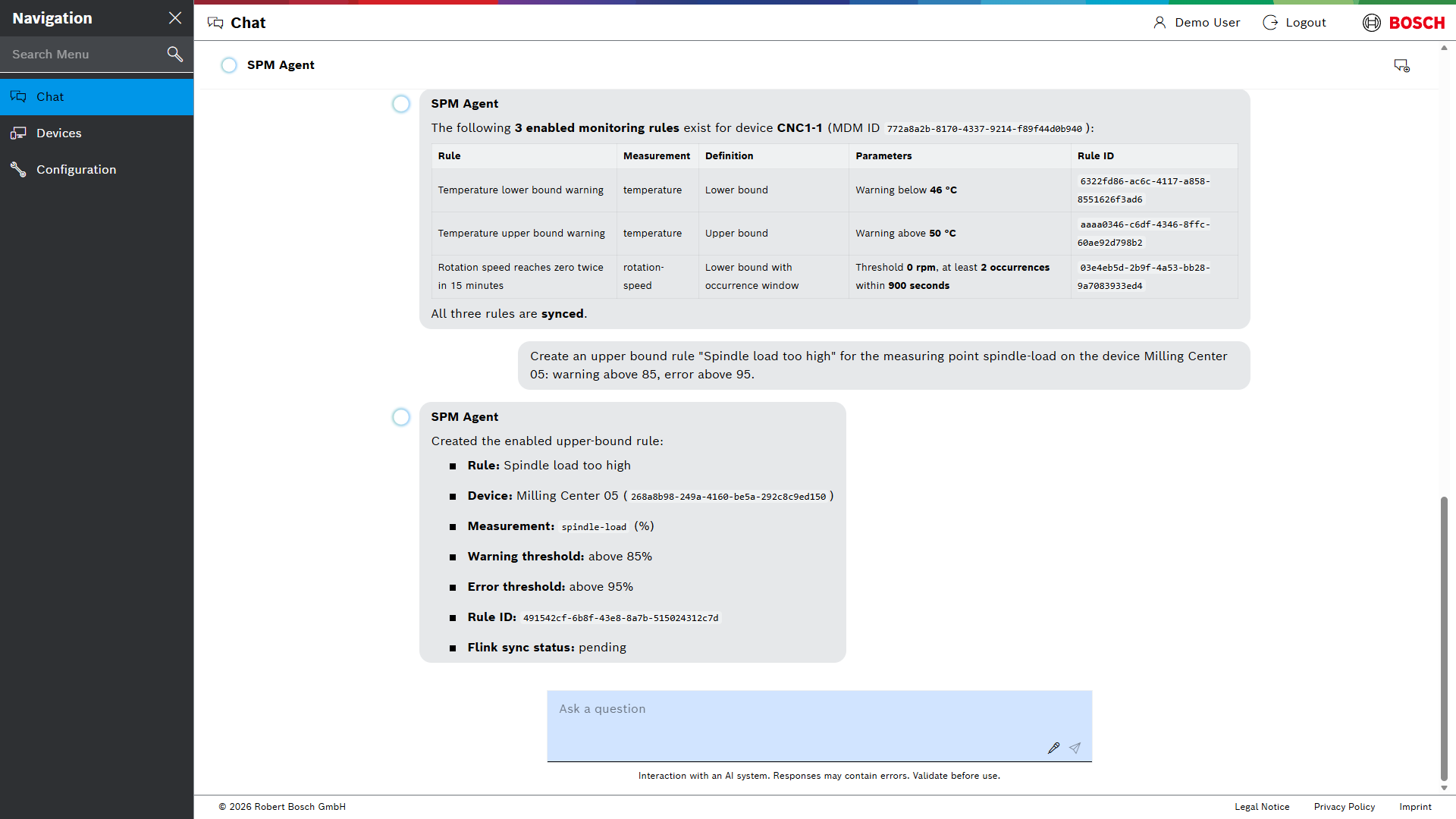
A new rule first has the sync status Pending. As soon as the rule is active, its status changes to synced.
| A rule can be assigned to 1 to 50 devices. Rules for all devices of a device type are not supported yet; name the devices instead. |
Regeln anlegen, ändern und löschen
Regeln werden mit dem Agenten verwaltet. Der Agent öffnet sich über Chat im Menü oder über Chat öffnen (Open chat). Siehe Mit dem Agenten chatten.
Die Werte in spitzen Klammern durch die eigenen Namen ersetzen.
Voraussetzung
-
Berechtigung
rules:read,rules:writeoderrules:delete, je nach Aufgabe -
Berechtigung
ai_chat:read
Regeln anzeigen
Den Agenten fragen, zum Beispiel:
Welche Regeln gibt es für das Gerät <Gerät>?
Der Agent listet die Regeln mit Messpunkt, Bedingung, Status und ID auf.
Regel anlegen
-
Die Regel beschreiben: Regeltyp, Name, Gerät, Messpunkt und Schwellenwerte. Zum Beispiel:
Lege eine Regel vom Typ obere Grenze "<Regelname>" für den Messpunkt <Messpunkt> am Gerät <Gerät> an: Warnung über <Wert>, Fehler über <Wert>.
Fehlen Angaben, fragt der Agent nach.
Der Agent legt die Regel an und zeigt ihre Einstellungen und ihre ID.
Eine neue Regel hat zunächst den Synchronisierungsstatus Pending. Sobald die Regel aktiv ist, wechselt ihr Status zu synced.
| Eine Regel lässt sich 1 bis 50 Geräten zuordnen. Regeln für alle Geräte eines Gerätetyps werden noch nicht unterstützt; stattdessen die Geräte einzeln nennen. |