Tutorial: Asking the agent
In this tutorial, you use the agent to look up data, to add a facility, to set up a rule and to evaluate measured values.
Prerequisites
-
At least one device that sends measured values
-
ai_chat:readpermission and the permissions for the data you ask about, for examplefacilities:writeandrules:write
In the example questions, replace the values in angle brackets with your own names, for example <device> with the name of one of your devices.
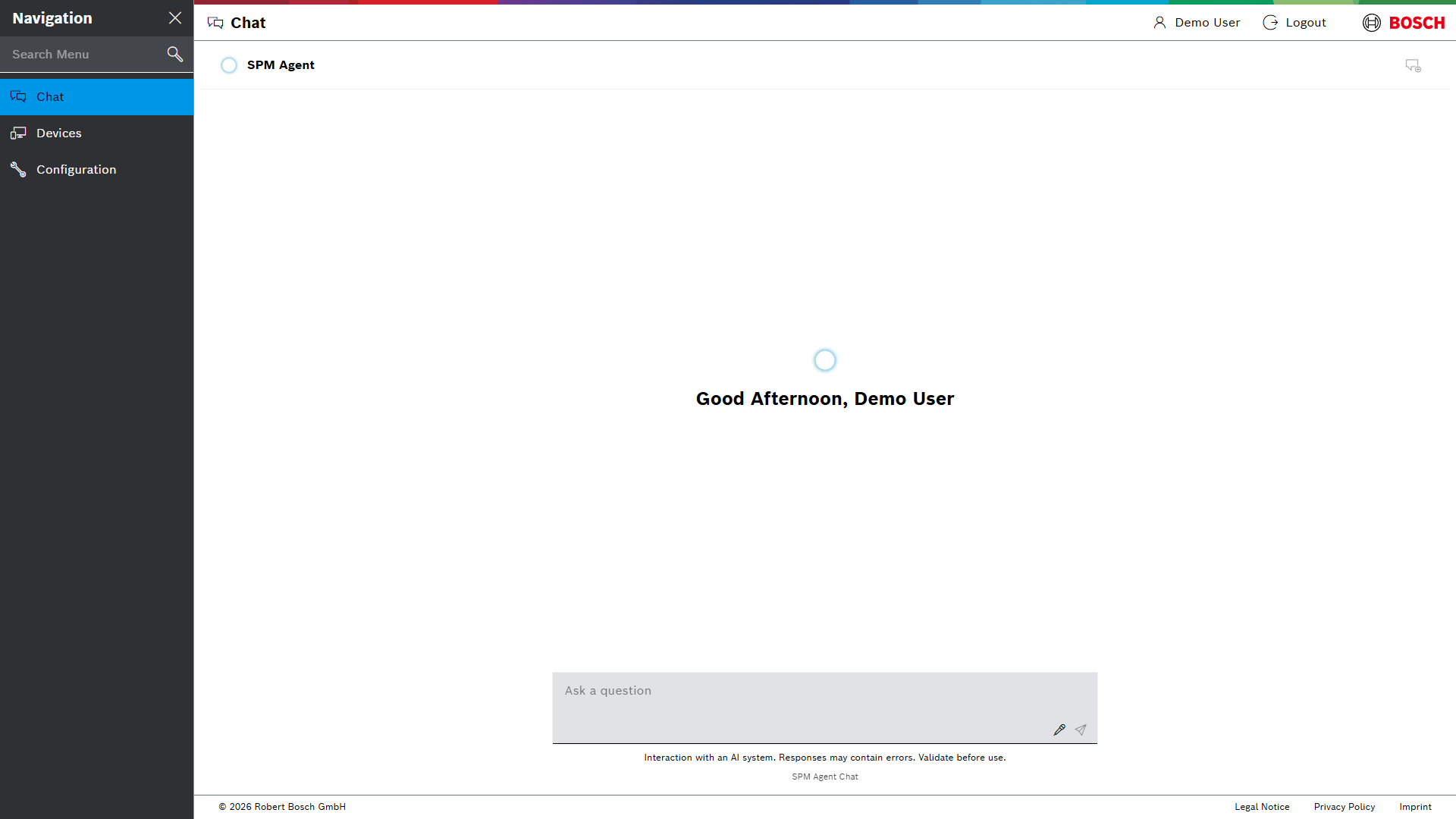
Step 2: Ask a question
-
Enter:
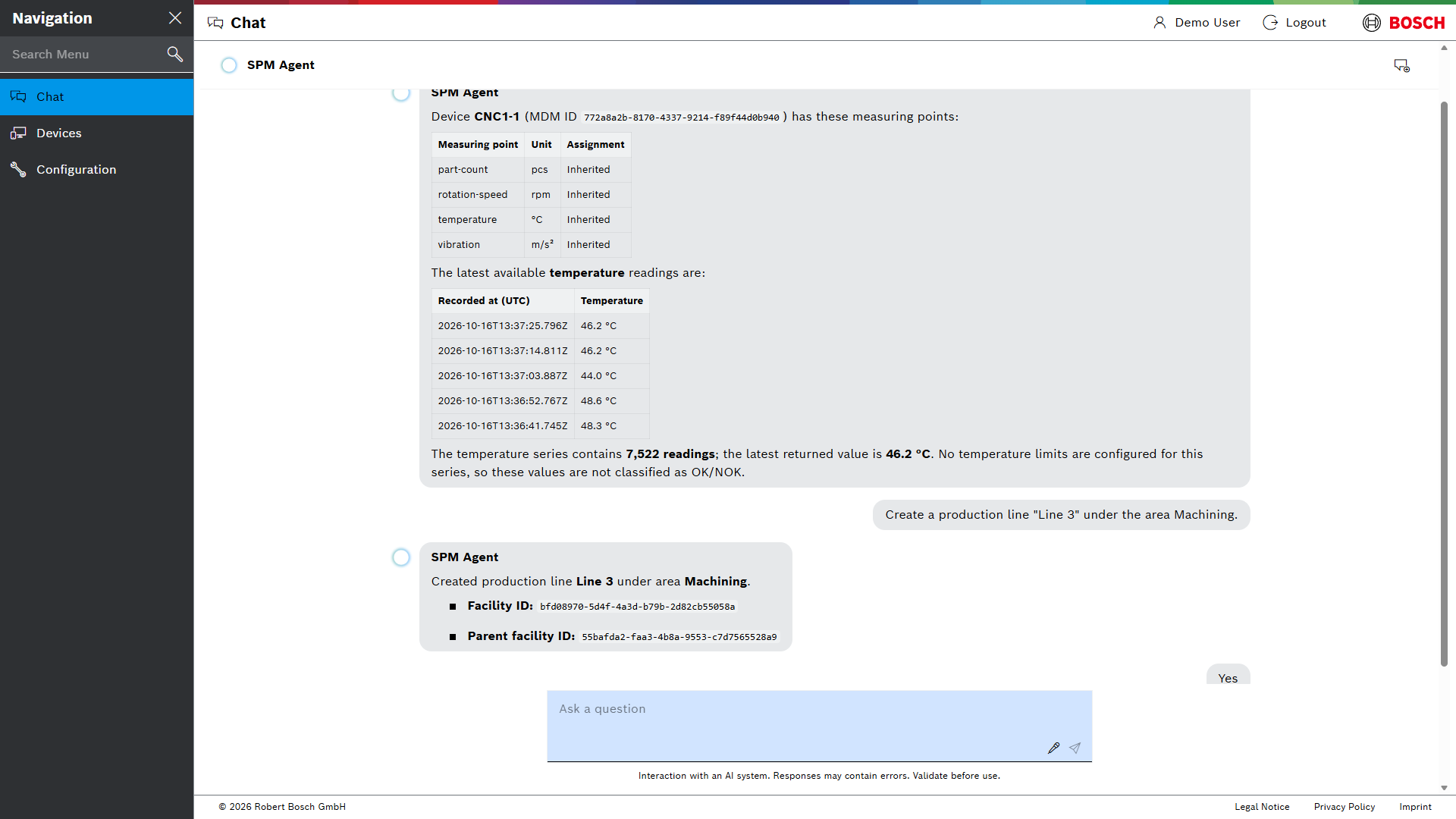
Which measuring points does the device <device> have, and what were the latest values of <measuring point>?
-
Press kbd:[Enter].
The agent answers with a table of the measuring points and the latest values.
If you do not know the names, ask first: Which devices exist?
|
Step 3: Add and rename a facility
-
Enter:
Show the facility tree.
-
Add a facility below an existing one, for example a production line below an area:
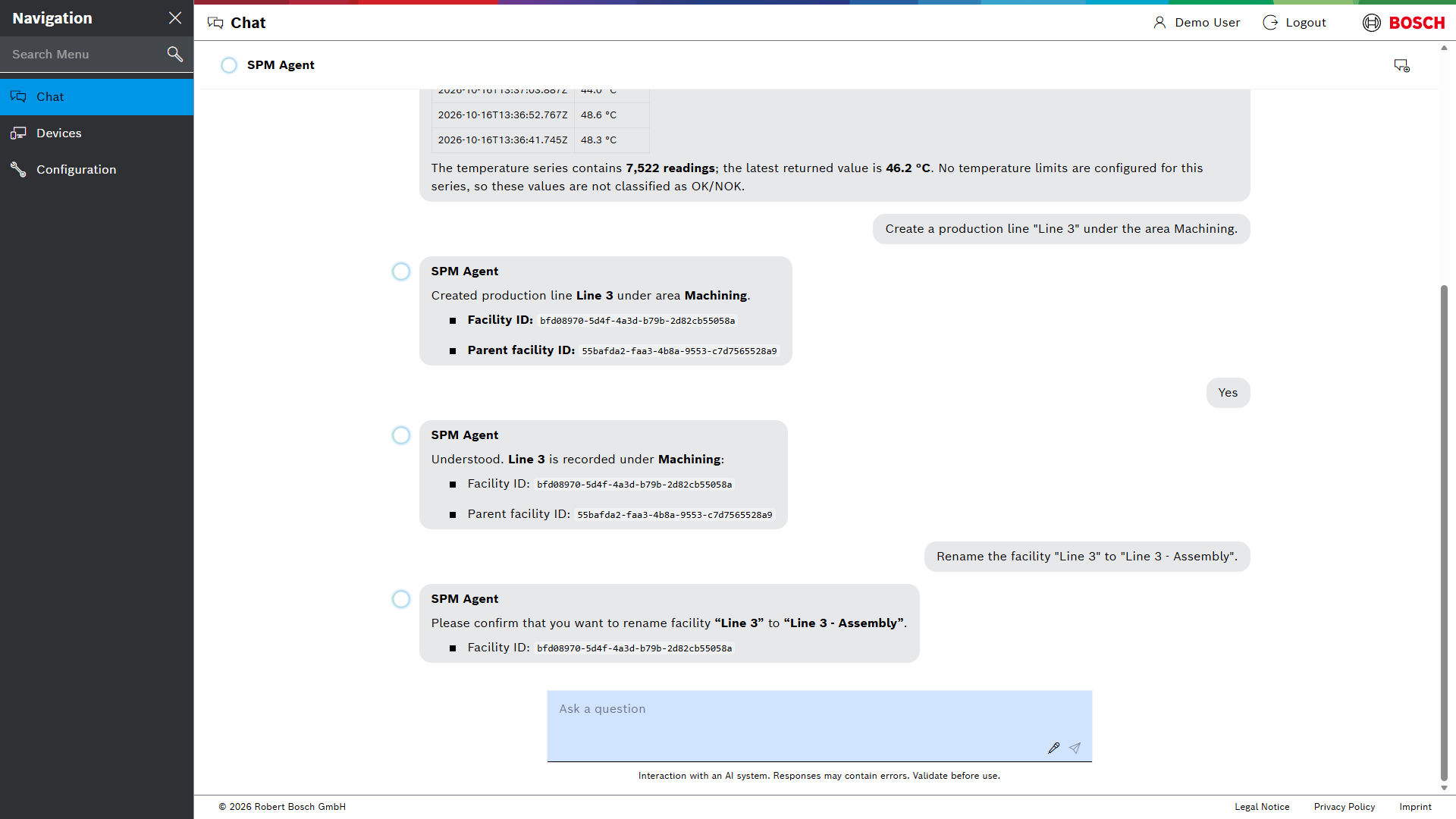
Create a production line "<new line>" under the area <area>.
The agent checks the plant structure, creates the facility and shows its ID. If information is missing or not unambiguous, the agent asks first.
-
Rename the new facility:
Rename the facility "<new line>" to "<new name>".
Before the agent changes existing data, it asks for confirmation.
-
Enter
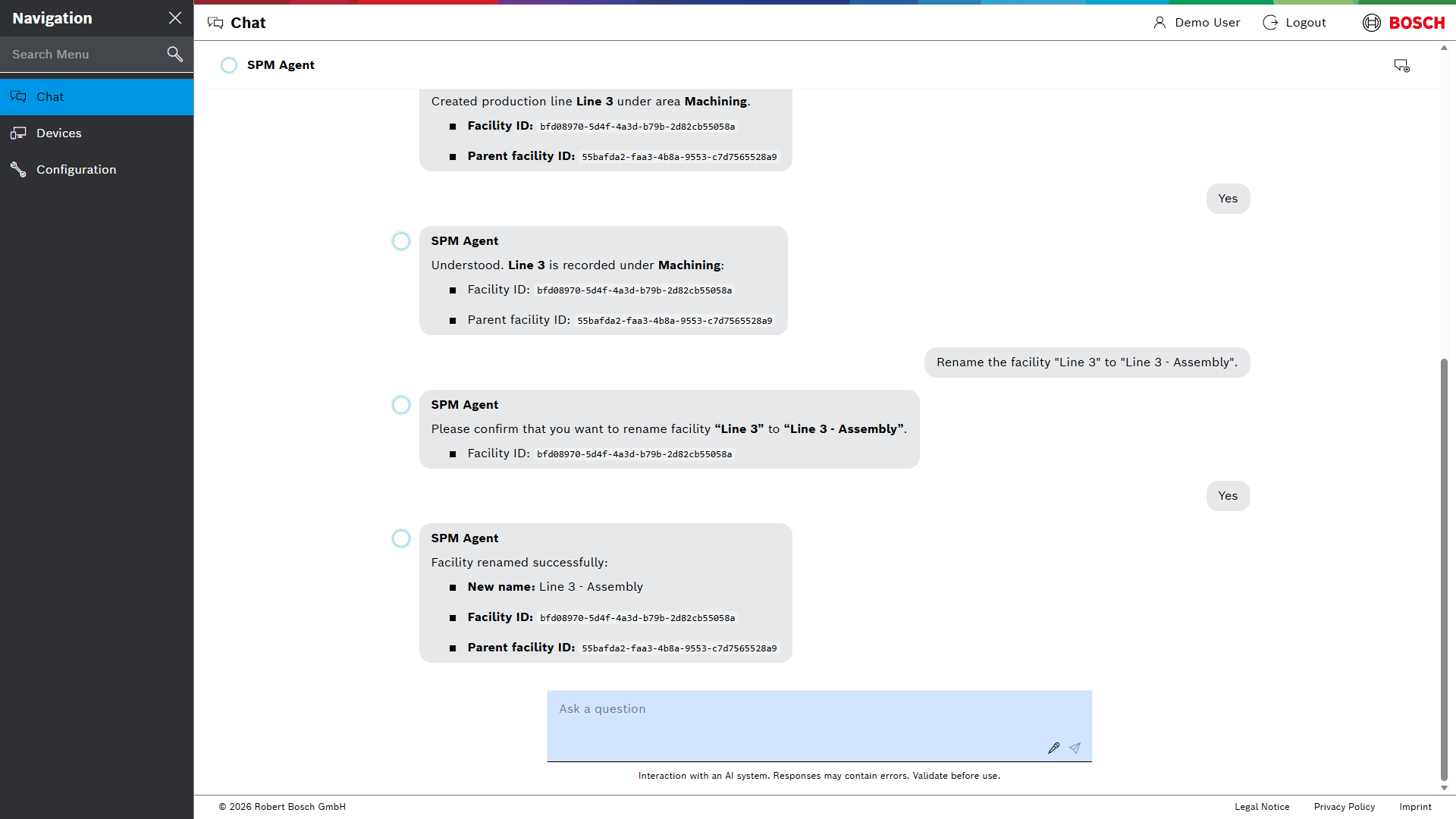
Yes.
The agent renames the facility and shows the result.
Step 4: Create a rule
-
Enter:
Create an upper bound rule "<rule name>" for the measuring point <measuring point> on the device <device>: warning above <value>, error above <value>.
The agent creates the rule and shows its settings.
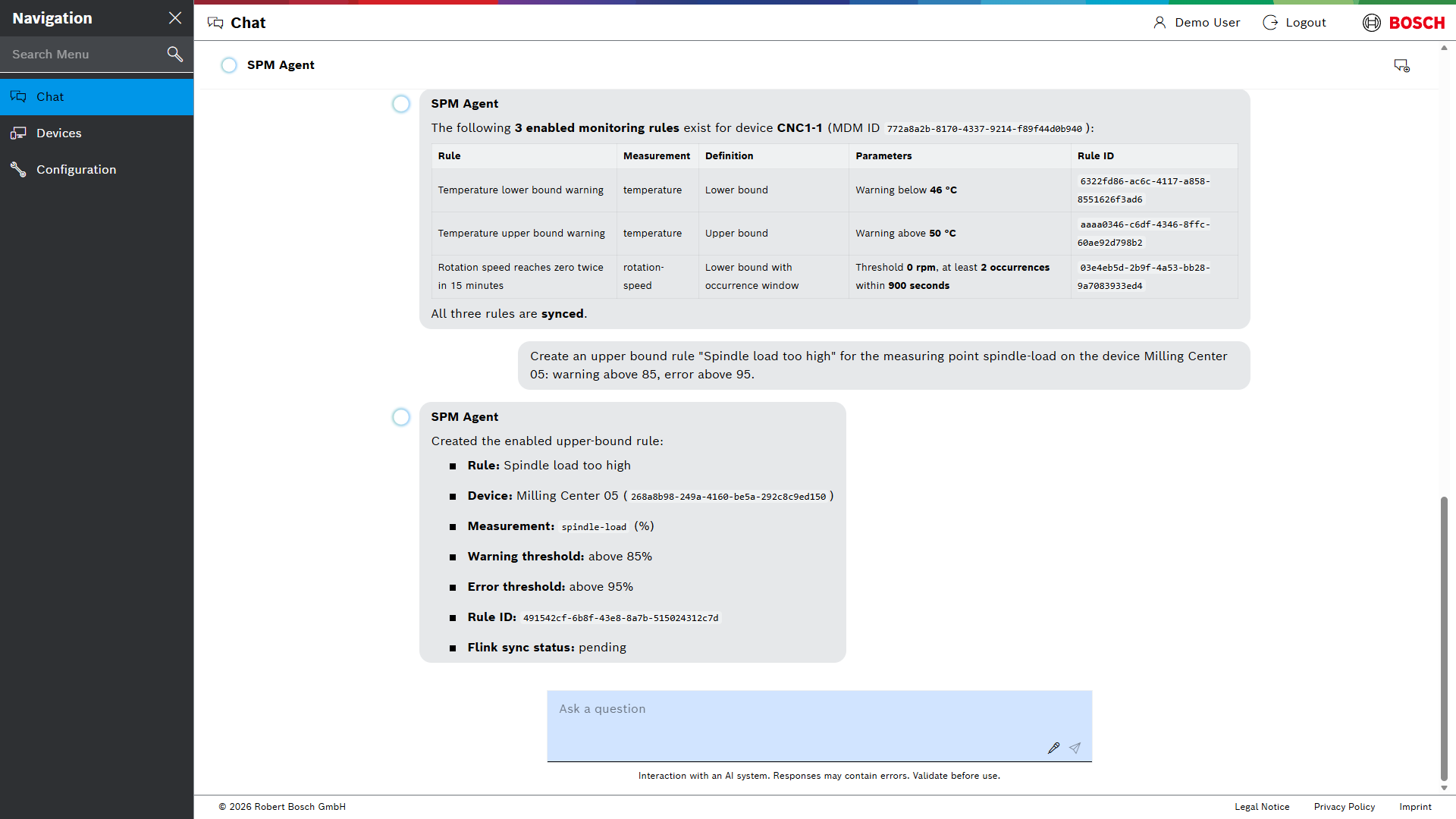
From now on, the rule watches the measured values. Events are shown in the device details. See Monitoring with rules.
Step 5: Evaluate measured values
-
Enter:
Evaluate <measuring point> of <device> for the last 24 hours: minimum, maximum and mean.
The agent states the time range it used in UTC, the number of values, the minimum, the maximum and the mean. Values that the agent calculates itself, such as the mean, are marked as approximations.
If the time range contains too many values, the agent proposes shorter time ranges. See Limits for evaluations.
Next steps
-
What you can ask – everything the agent can do
Tutorial: Agent befragen
Dieses Tutorial zeigt, wie der Agent Daten nachschlägt, eine Anlage hinzufügt, eine Regel einrichtet und Messwerte auswertet.
Voraussetzungen
-
Mindestens ein Gerät, das Messwerte sendet
-
Berechtigung
ai_chat:readund die Berechtigungen für die abgefragten Daten, zum Beispielfacilities:writeundrules:write
In den Beispielfragen die Werte in spitzen Klammern durch die eigenen Namen ersetzen, zum Beispiel <Gerät> durch den Namen eines eigenen Geräts.
Schritt 2: Frage stellen
-
Eingeben:
Welche Messpunkte hat das Gerät <Gerät>, und was waren die letzten Werte von <Messpunkt>?
-
kbd:[Enter] drücken.
Der Agent antwortet mit einer Tabelle der Messpunkte und der neuesten Werte.
Wenn die Namen nicht bekannt sind, zuerst danach fragen: Welche Geräte gibt es?
|
Schritt 3: Anlage hinzufügen und umbenennen
-
Eingeben:
Zeige die Anlagenstruktur.
-
Eine Anlage unterhalb einer vorhandenen Anlage hinzufügen, zum Beispiel eine Produktionslinie unterhalb eines Bereichs:
Lege eine Produktionslinie „<neue Linie>“ im Bereich <Bereich> an.
Der Agent prüft die Anlagenstruktur, legt die Anlage an und zeigt ihre ID. Fehlen Angaben oder sind sie nicht eindeutig, fragt der Agent zuerst nach.
-
Die neue Anlage umbenennen:
Benenne die Anlage „<neue Linie>“ in „<neuer Name>“ um.
Bevor der Agent vorhandene Daten ändert, bittet er um Bestätigung.
-
Jaeingeben.
Der Agent benennt die Anlage um und zeigt das Ergebnis.
Schritt 4: Regel anlegen
-
Eingeben:
Lege eine Regel „<Regelname>“ vom Typ „Obere Grenze“ für den Messpunkt <Messpunkt> am Gerät <Gerät> an: Warnung über <Wert>, Fehler über <Wert>.
Der Agent legt die Regel an und zeigt ihre Einstellungen.
Ab jetzt überwacht die Regel die Messwerte. Ereignisse erscheinen in den Gerätedetails. Siehe Überwachung mit Regeln.
Schritt 5: Messwerte auswerten
-
Eingeben:
Werte <Messpunkt> von <Gerät> für die letzten 24 Stunden aus: Minimum, Maximum und Mittelwert.
Der Agent nennt den verwendeten Zeitraum in UTC, die Anzahl der Werte, das Minimum, das Maximum und den Mittelwert. Werte, die der Agent selbst berechnet, zum Beispiel den Mittelwert, kennzeichnet er als Näherungswerte.
Enthält der Zeitraum zu viele Werte, schlägt der Agent kürzere Zeiträume vor. Siehe Grenzen für Auswertungen.
Nächste Schritte
-
Mögliche Fragen – alles, was der Agent kann