Diese Seite ist nur auf Englisch verfügbar.
Reports
To ensure compliance with access and identity management regulations, the Multitenant Access Control module provides the ability to generate access and identity management (AIM) compliance reports. The AIM compliance report allows you to verify existing assignments (mappings) of access rights.
The AIM compliance report lists the following assignments:
-
Group to roles
-
Direct user to group
-
Role to resource privilege
-
Direct role to user assignment
-
Local users
The AIM report can be downloaded in.xlsx format from the Multitenant Access Control > Reports menu.

The AIM compliance report consists of six spreadsheets
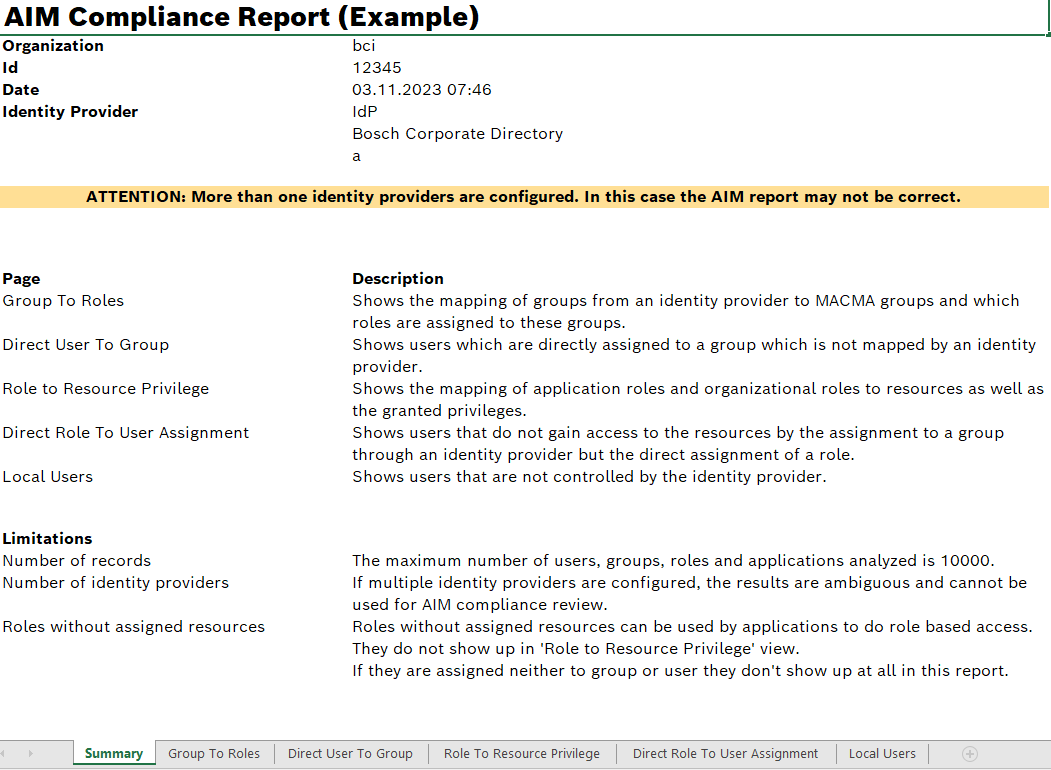
Overview
| Icon/element | Description | ||
|---|---|---|---|
Summary |
Shows the following general information about the content and structure of the report |
||
Group to Roles |
Displays the assignment of groups from an identity provider to groups in the Multitenant Access Control (MACMA). The table contains details about the roles assigned to these groups. |
||
Direct user to group |
Displays users directly assigned to a group. The table only contains groups that have not been assigned by an identity provider. |
||
Role to resource privilege |
Displays the assignment of application roles and organizational roles to resources. The table also contains details about the individual action privileges. |
||
Direct role to user assignment |
Displays users who obtain access to resources through the direct assignment of a role. The table only displays users who do not obtain access to resources through an identity provider. |
||
Local users |
Displays users who are not managed by the identity provider.
|
Download report
Prerequisites
Reviewer role
Procedure
-
Call up the Multitenant Access Control > Reports menu.
-
Click
 after the desired report.
-
If necessary, select in the browser dialog window whether the report should be saved or opened directly, and confirm.
The report is downloaded.
|
The download behavior differs according to the configuration and type of browser used. |