Diese Seite ist nur auf Englisch verfügbar.
Basic operation
The following actions can be performed in multiple areas of the Multitenant Access Control module.
Get to know standard functions
Recurring symbols and elements that can be used to execute certain standardized functions are featured in many places.
| Icon/element | Description |
|---|---|
|
|
|
|
|
|
|
Refresh the view |
|
Create object |
|
Edit object |
|
Download object |
|




Find information
Table contents can be searched and the display can be restricted in this way.
Various standard elements (e.g.  ,
 ) can be used to find information.

|
Not all standard elements are always present. |
Search term:
In the header, enter the desired search term in the text field in full or in part.
The table shows only the rows that contain the search term.
Date/Time Frame:
-
Click
in the header. -
In the calendar, first select the start date and then the end date.
-
If necessary, enter the start and end times or adjust with
 or
 .
-
Click next to the dialog window.
The table shows the entries in the specified time range that contain the search term.
Delete objects
-
Click
 next to the object you want to delete.

-
In the dialog window, click Delete.
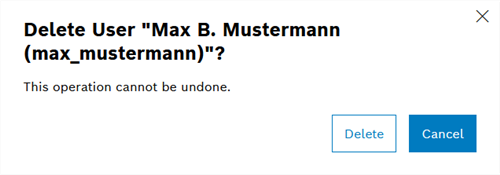
The object is deleted and is no longer displayed in the table.
Filter table contents
Table contents can be filtered using various filter criteria.
Procedure
-
In the header, press
to open the selection list.
-
Select one or more filter criteria by activating the checkbox.
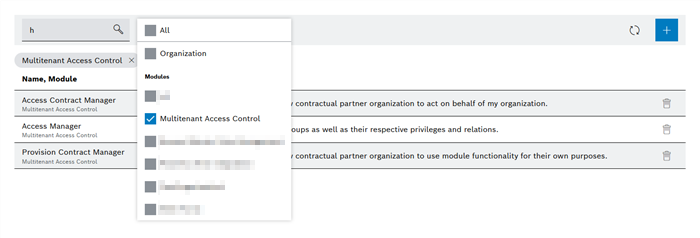
The table lists all entries that meet the specified filter criteria. The selected filter criteria appear between the header and the table.
|
Use |
