Diese Seite ist nur auf Englisch verfügbar.
Analyzing KPIs
This tutorial shows two of many options of taking a look at the production KPIs:
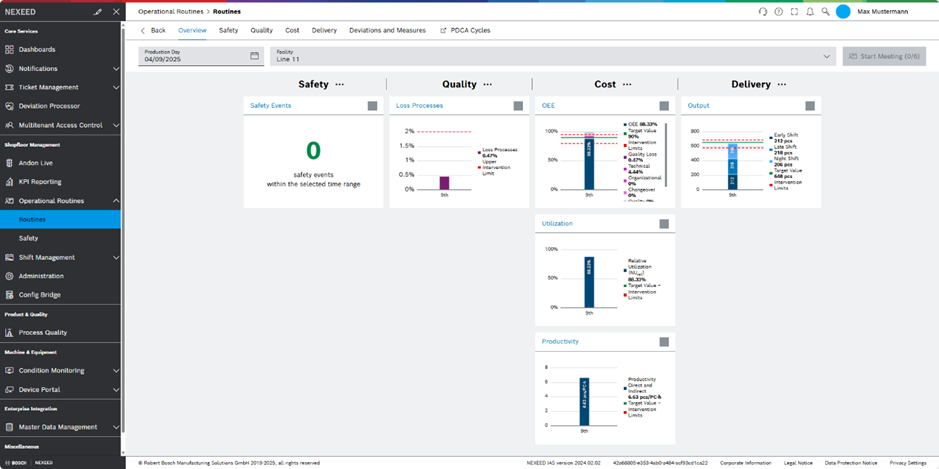
Starting a meeting in Operational Routines
-
Open the Operational Routines > Routines menu entry.
-
Click on Daily Morning Meeting (Line).
-
In the Facility drop-down list , select Line 11.
The meeting dashboard opens and shows the KPIs of the last shift on the selected line.
| Explore details and further use-cases in the documentation of Operational Routines |
Exploring further KPI dashboards
-
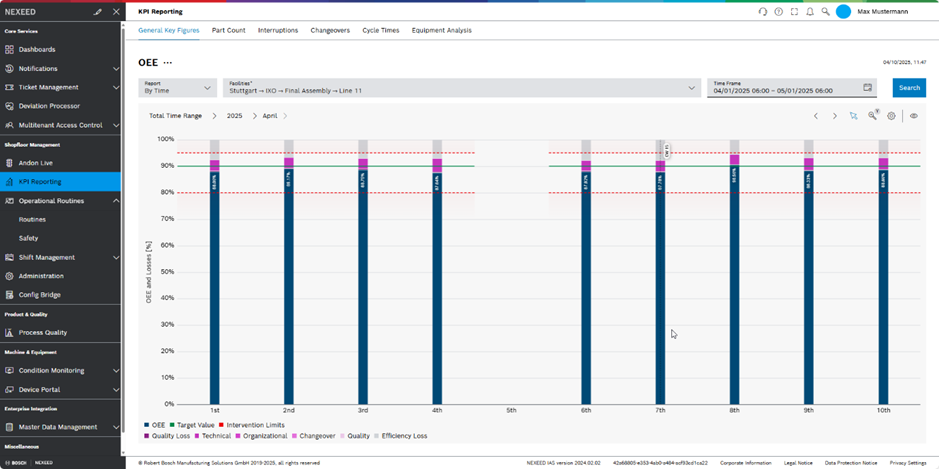
Open the KPI Reporting menu entry.
-
In the Facility drop-down list , select Line 11.
The system shows the charts of the default KPI, OEE, and the corresponding timeline.
| Explore details and further use-cases in the documentation of KPI Reporting |