Diese Seite ist nur auf Englisch verfügbar.
My Account
Using the My Account function, users can change their password or set up two-factor authentication. In addition, users can view their active sessions and log out of individual sessions.
Overview: Active Devices Tab
The Active Devices tab displays all active sessions of the user that is currently logged in. It is possible to log out of individual sessions or all active sessions.
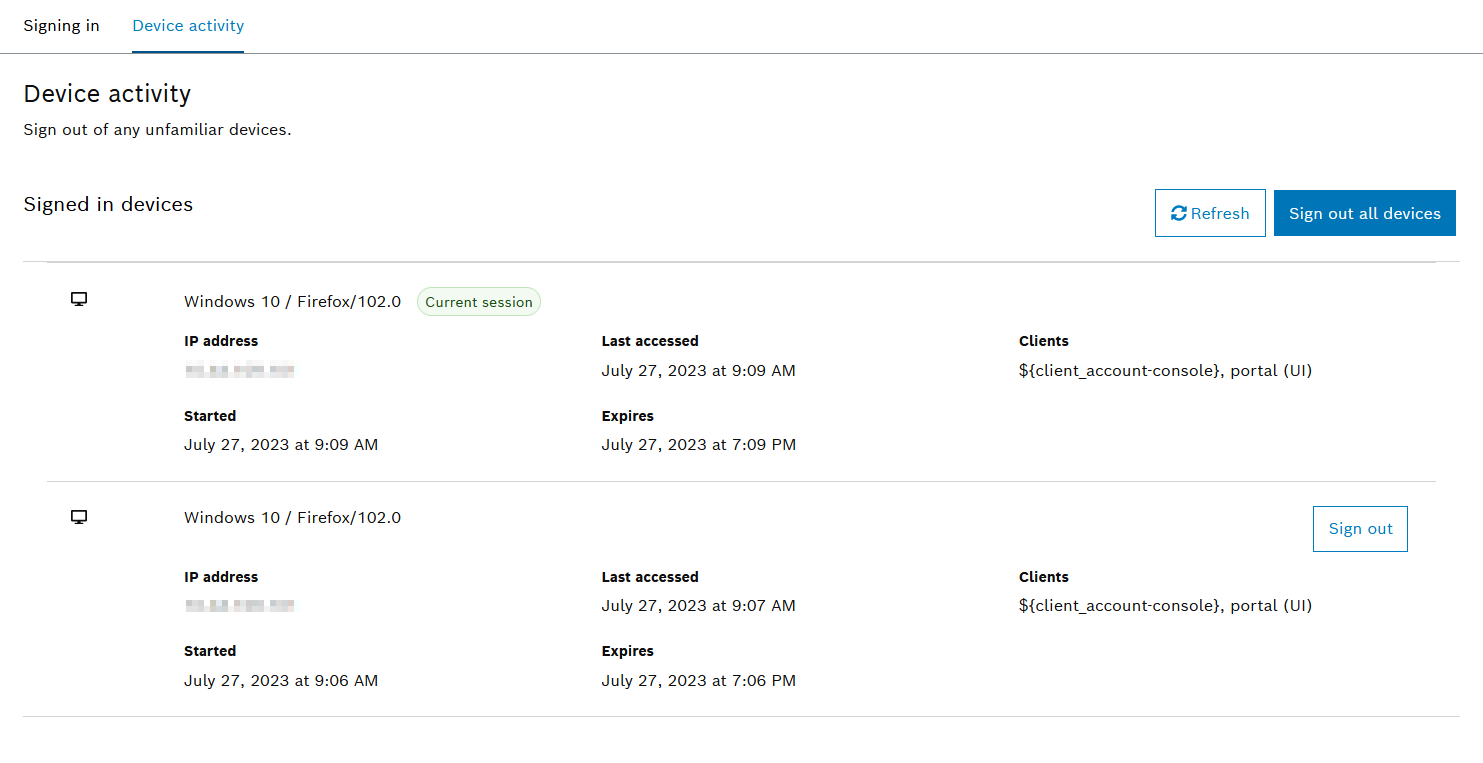
Log Out of Individual Sessions or All Sessions
Procedure
-
Open My Account > Device Activity.
-
To log out of an individual session, click Sign Out in the list of registered devices.
-
To log out of all sessions at the same time, click Sign Out All Devices.
-
In the dialog window, click Sign out.
The user is logged out of the selected sessions.