Diese Seite ist nur auf Englisch verfügbar.
Main screen
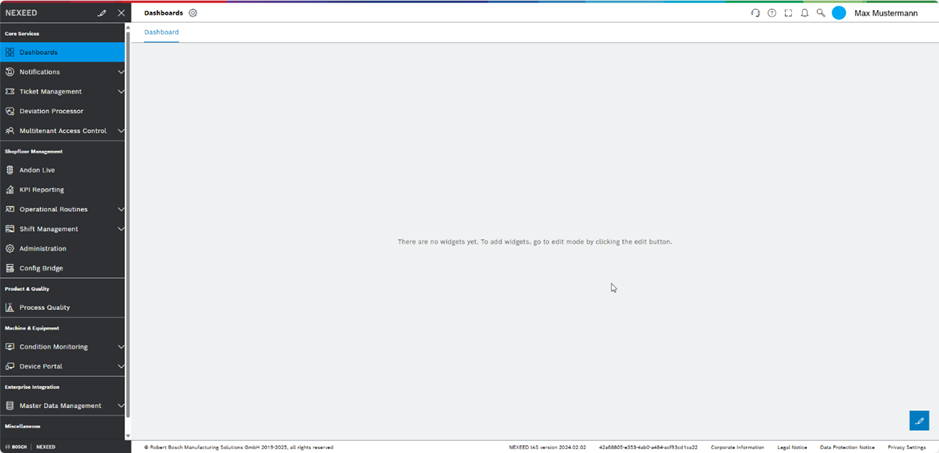
The screen is separated into four key areas:
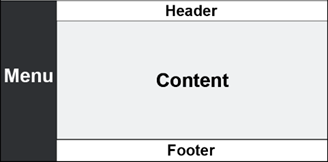
| Element/Icon | Description |
|---|---|
Menu |
The menu lists the licensed modules of the Smart Operations Toolkit.
|
Content |
The content section displays the pages of the modules selected in the menu. |
Header |
The header contains the name and the navigation path of the current page shown in the content, and the icons of the following functions: |
Footer |
The footer contains general links and information set up by the system or organization administrator. |

