Diese Seite ist nur auf Englisch verfügbar.
General Settings for the Identity Provider
In this section, you can specify cross-functional settings for the identity providers that exist in the system.
Default Identity Provider tab
Prerequisites
-
Identity Provider Managerrole -
One or more identity providers have been set up ( Add Identity Providers ).
Procedure
-
Call up the Multitenant Access Control > Identity provider menu.
-
Click
 .
-
In the list, click on the identity provider that you want to use as the default.
-
Click Save.
The login is performed via the identity provider specified as the default. The user is forwarded to the identity provider upon login.
Display Order Tab
Prerequisites
-
Identity Provider Managerrole -
No default identity provider has been set up ( Default Identity Provider Tab ).
Procedure
-
Call up the Multitenant Access Control > Identity provider menu.
-
Click
. -
Click on the Display Order tab.
-
Drag and drop the identity provider within the list to determine the order in which the identity providers are displayed during login and in the overview of( Identity providers ).
-
Click Save.
The display order of the identity providers is saved.
Profile Check Tab
Prerequisite
-
Identity Provider Managerrole
Procedure
-
Call up the Multitenant Access Control > Identity provider menu.
-
Click
. -
Click on the Profile Check tab.
-
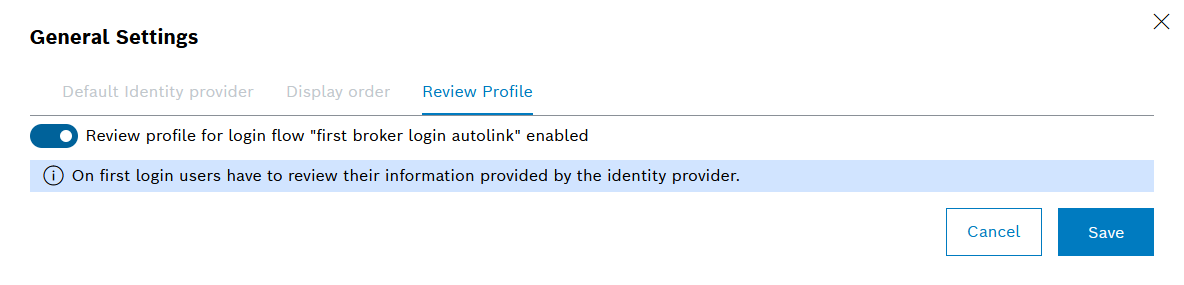
To activate a check of the user data stored with the identity provider, activate the function Profile Check for the Login Process "First Broker Login Autolink" Activated with
 .
-
Click Save.
When a user logs in for the first time via the identity provider, the stored user data must be checked and confirmed.