Diese Seite ist nur auf Englisch verfügbar.
Developing against Web Portal from localhost
To develop and test the integration of your frontend module into Web Portal from your local computer, follow these steps:
-
Start your frontend module on localhost, for example,
http://localhost:4200. -
Open any Web Portal environment, such as https://portal.bosch-nexeed.com/, and log in as a user with the necessary permissions to register apps and views.
-
Register a new module:
-
Open the user menu (upper-right corner).
-
Go to "Configuration".
-
Go to "Module Registration".
-
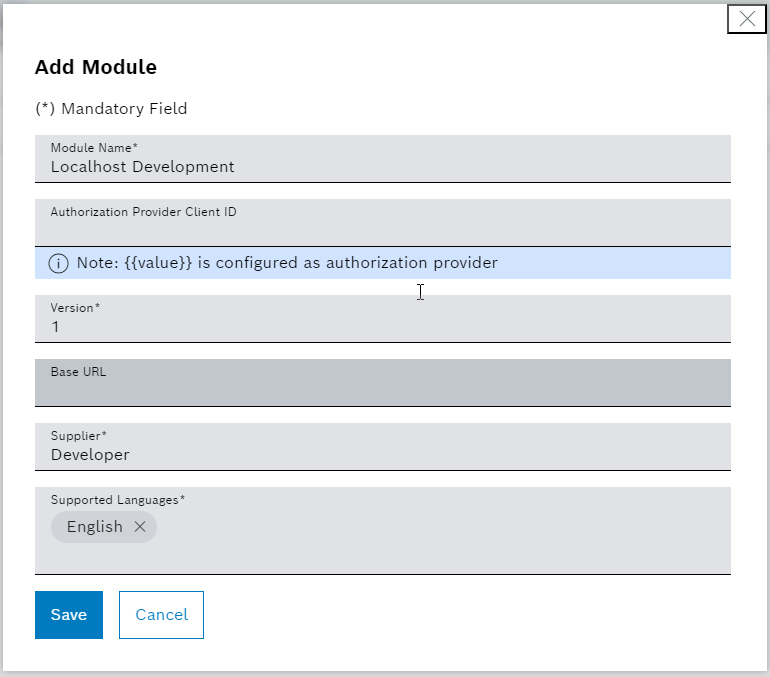
Add a new module.
-
-
Go to the "View Registration" tab.
-
Register a view for the recently created module, which points to a view running on localhost, for example,
http://localhost:4200.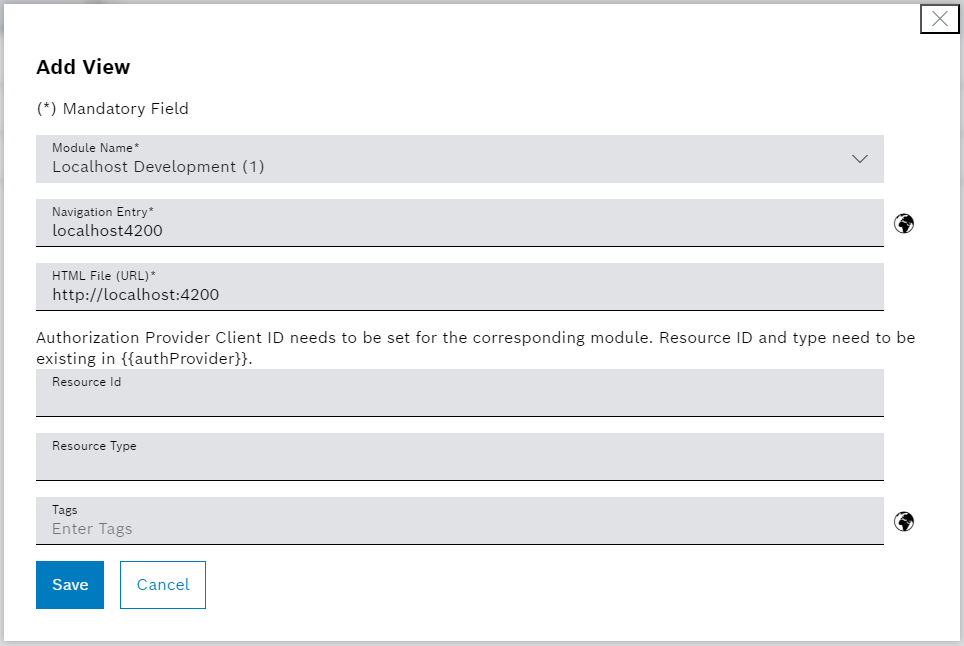
-
-
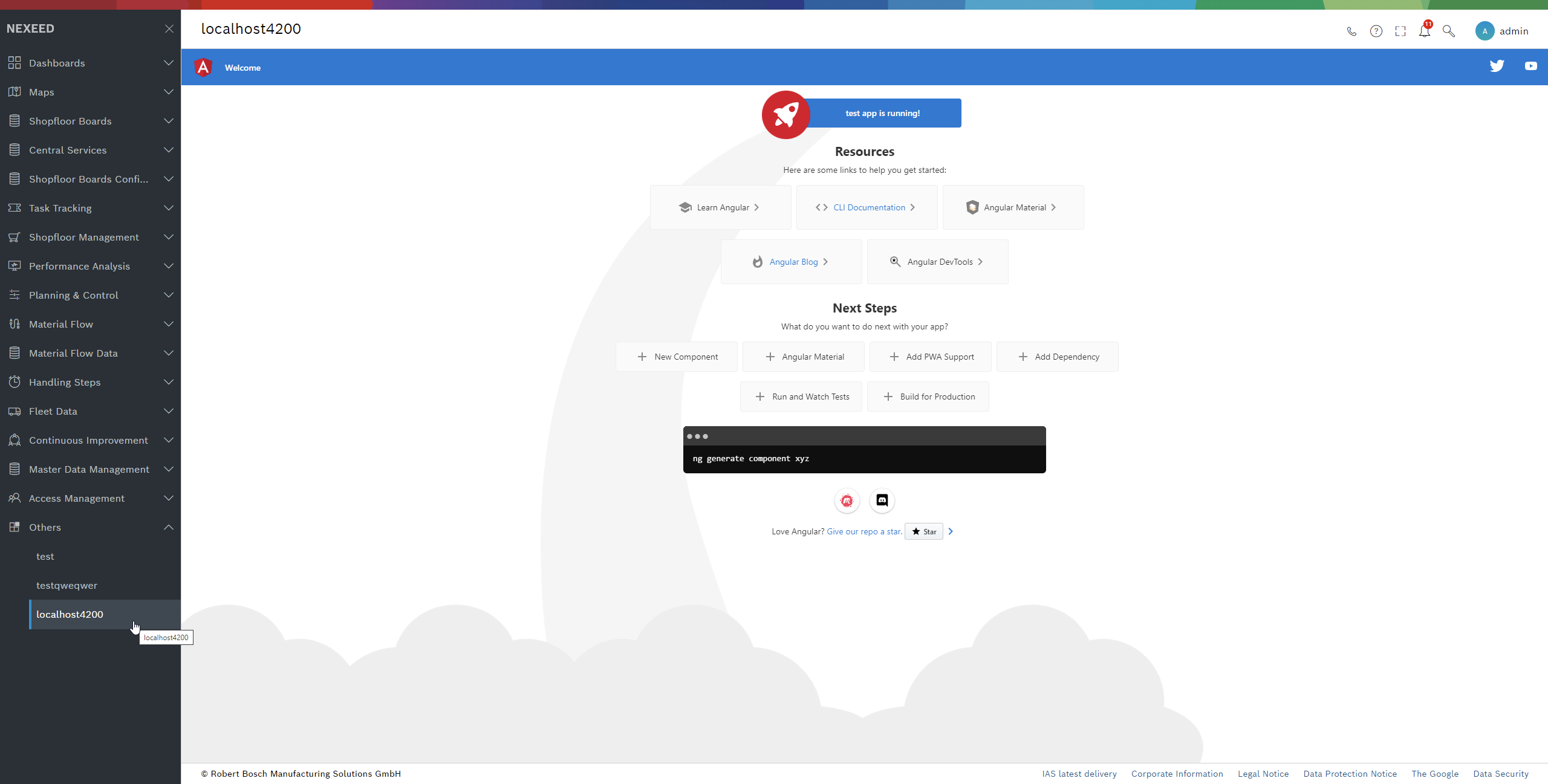
Open your view in the side navigation under "Others".
-
Allow access to sessionStorage and other browser functionalities in Google Chrome:
image::cookies.png[cookies]
From this point onwards, your UI will have full access to the Web Portal ref:how_tos:31_UIAPI.adoc[UI API].