Overview
Docker images
The Information Router consists of the following docker images.
| Docker Image | Description | Required |
|---|---|---|
connectivity/connectivity-service:1 |
Information Router service |
x |
Business context
The typical business context is depicted on the following image.
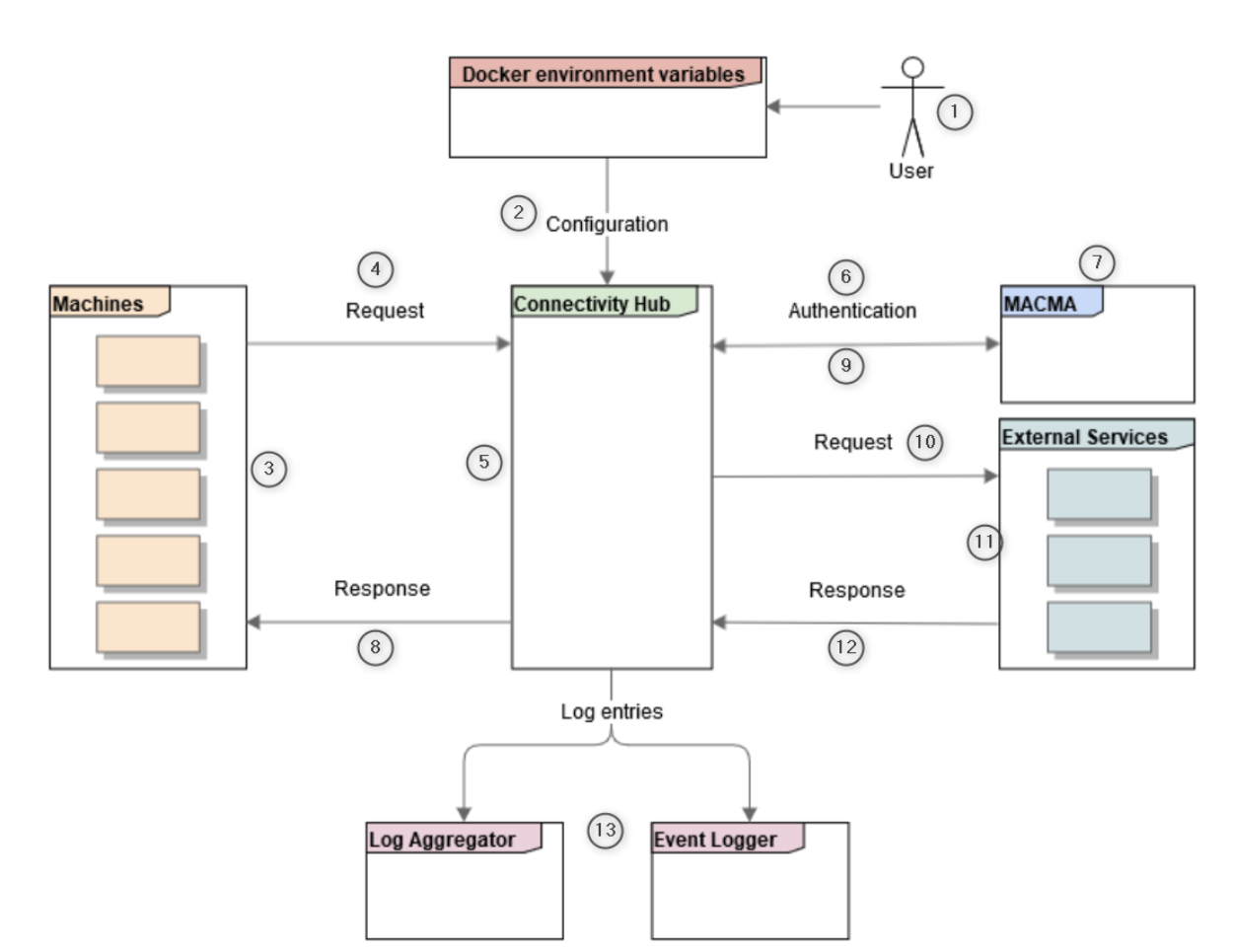
The user (1) prepares the configuration parameters (2), in the form of environment variables in the cloud context or as a JSON file in the on premise context, before starting the service. The parameters remain unchanged during the running of the service. After starting the Information Router service, the endpoints are available. The machine (3) sends a machine request (4) to the Information Router (5), i.e. the production machines initiates the communication. The Information Router uses the authentication data received in the machine request to authenticate (6) the machine with MACMA (7).
From that point, the execution can be synchronous or asynchronous, depending on the configuration. In case of asynchronous execution, the Information Router immediately returns the response (8) to the machine with an indication of whether the authentication was successful or not. In case of a synchronous execution and a successful authentication, the response is returned to the machine at a later point.
After that, based on the configuration, the request (10) is forwarded to the external services (11). The external services are a range of IAS services with which the Information Router can communicate e.g[]. Condition and Process Monitoring (CPM), Error Sequence Detection Module (ES), Line Bottleneck Detection Module (LBDM). The external service returns returns a response (12) which is returned to the machine in case of synchronous execution. During the whole process, log entries (13) are sent to a Log Aggregator in the cloud context or to the Event Logger service, in the on premise context. If enabled, the incoming requests are stored in the file system as text files in the on premise scenario (see Logging and monitoring section).