Regular operations
Adding a new Tenant
Providing a new tenant with access to the modules
First, you will need to either create a new contract or adjust an existing one to provide the tenant with access to the modules. When selecting the roles included in the contract, please ensure that the INTERNAL:SMC - Configbridge Internal S2S User is included in that list, this is required for the various services to fetch the connection string from Configbridge.
Once the contract has been completed, you will need to log into the Portal for the new tenant, go to Access Management and give the SM Essentials module the role INTERNAL:SMC - Configbridge Internal S2S User. This should have an immediate effect and each module should be able to fetch the DB connection strings when the service is accessed in the portal.
Assign a database to the tenant
As we require a separate database schema per tenant, each tenant needs to be associated with a connection string so it can function.
-
First, you have to create an empty Shopfloor Management database schema or PDB and grant the necessary permissions (see how to create a database).
-
Afterwards you can assign the connection string to a tenant: This is done in the Web UI of Config Bridge in the IAS Portal. The user needs to have the role of "ConfigBridge Tenant Connection String Manager" to obtain access to the page.
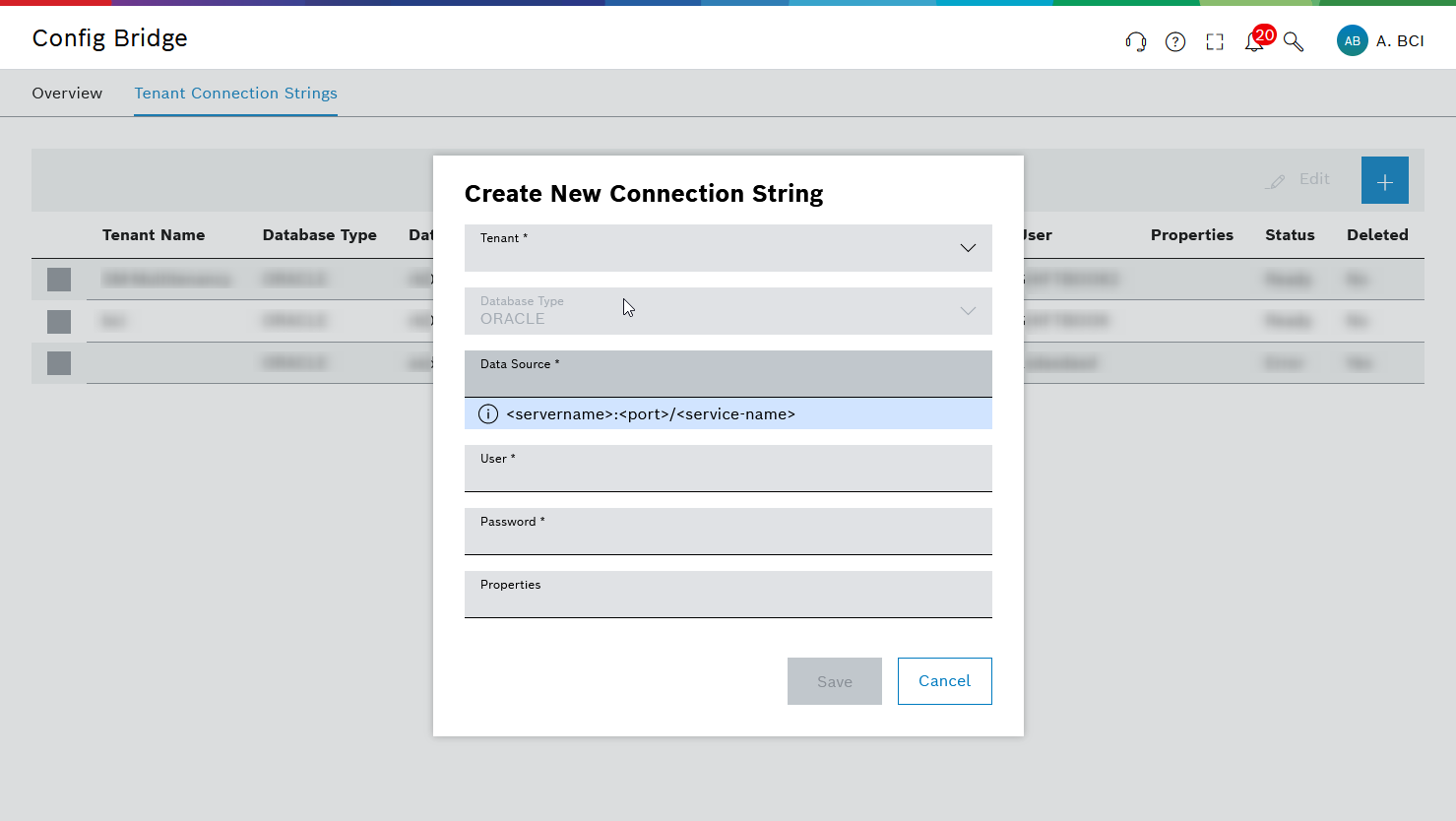
After adding the tenant in the UI, Config Bridge will spawn a Pod with the name database-migration-cli-<TenantId> in Kubernetes that initializes the database schema for the new tenant. Please check the status of this pod as we currently don’t communicate the result back to the user.
If the Pod has errors, please contact the Shopfloor Management Support Mailbox nexeed.shopfloormanagement@de.bosch.com.